VMware SDDC with NSX Expands to AWS
 I prior shared this post on the LinkedIN publishing platform and my personal blog at HumairAhmed.com. There has been a lot of interest in the VMware Cloud on AWS (VMC on AWS) service since its announcement and general availability. Writing this brief introductory post, the response received confirmed the interest and value consumers see in this new service,... Read more →
VMware SDDC with NSX Expands to AWS
I prior shared this post on the LinkedIN publishing platform and my personal blog at HumairAhmed.com. There has been a lot of interest in the VMware Cloud on AWS (VMC on AWS) service since its announcement and general availability. Writing this brief introductory post, the response received confirmed the interest and value consumers see in this new service, and I hope to share more details in several follow-up posts.
VMware Software Defined Data Center (SDDC) technologies like vSphere ESXi, vCenter, vSAN, and NSX have been leveraged by thousands of customers globally to build reliable, flexible, agile, and highly available data center environments running thousands of workloads. I’ve also discussed prior how partners leverage VMware vSphere products and NSX to offer cloud environments/services to customers. In the VMworld Session NET1188BU: Disaster Recovery Solutions with NSX, I discussed how VMware Cloud Providers like iLand and IBM use NSX to provide cloud services like DRaaS. In 2016, VMware and AWS announced a strategic partnership, and, at VMworld this year, general availability of VMC on AWS was announced; this new service, and, how NSX is an integral component to this service, is the focus of this post.
Raspberry Pi3 WIFI Router Based on Linux piCore
Recently I have bought a Christmas present for myself from GearBest, costing only $49,21 USD. It includes Raspberry Pi 3 single board computer along with 2.5A power supply, case and several heat sinks. Pi3 is the latest and the most powerful Raspberry model, equipped with 1.2GZ 64-bit ARM processor, 1GB RAM and integrated 10/100 Ethernet port and Wifi 802.11n. Although I can simply use it as a cheap desktop computer, I have different goal in my mind.
Six years ago, I built my own SOHO router/switch base on Intel Pentium III - 733Mhz. It was working great but to save electricity consumption I have never used it in production. However, I have never completely given up idea to build and use my own router. It comes true thanks to Raspberry Pi3 computer as it consumes maximum 1.34 A or 6.7 W under stress when peripherals and WiFi are connected.
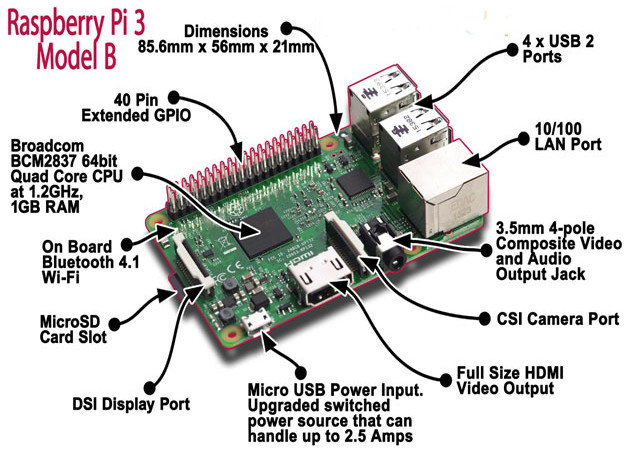
Picture1 - Raspberry Pi 3 Model B
Source: http://fosssig.com/tinkerers/1-raspberry-pi-and-kodi/
To shorten the story, I have built a wifi router that runs piCore 9.0.3 on Raspberry PI3. The clients are connected via wireless network to the router that runs hostapd. The hostapd is configured Continue reading
Please Respond: Survey on Interconnection Agreements
Marco Canini is working on another IXP-related research project and would like to get your feedback on inter-AS interconnection agreements, or as he said in an email he sent me:
As academics, it would be extremely valuable for us to receive feedback from network operators in the industry.
It’s fantastic to see researchers who want to base their work on real-life experience (as opposed to ideas that result in great-looking YouTube videos but fail miserably when faced with reality), so if you’re working for an ISP please take a few minutes and fill out this survey.
Highlights from Cloudflare’s Weekend at YHack
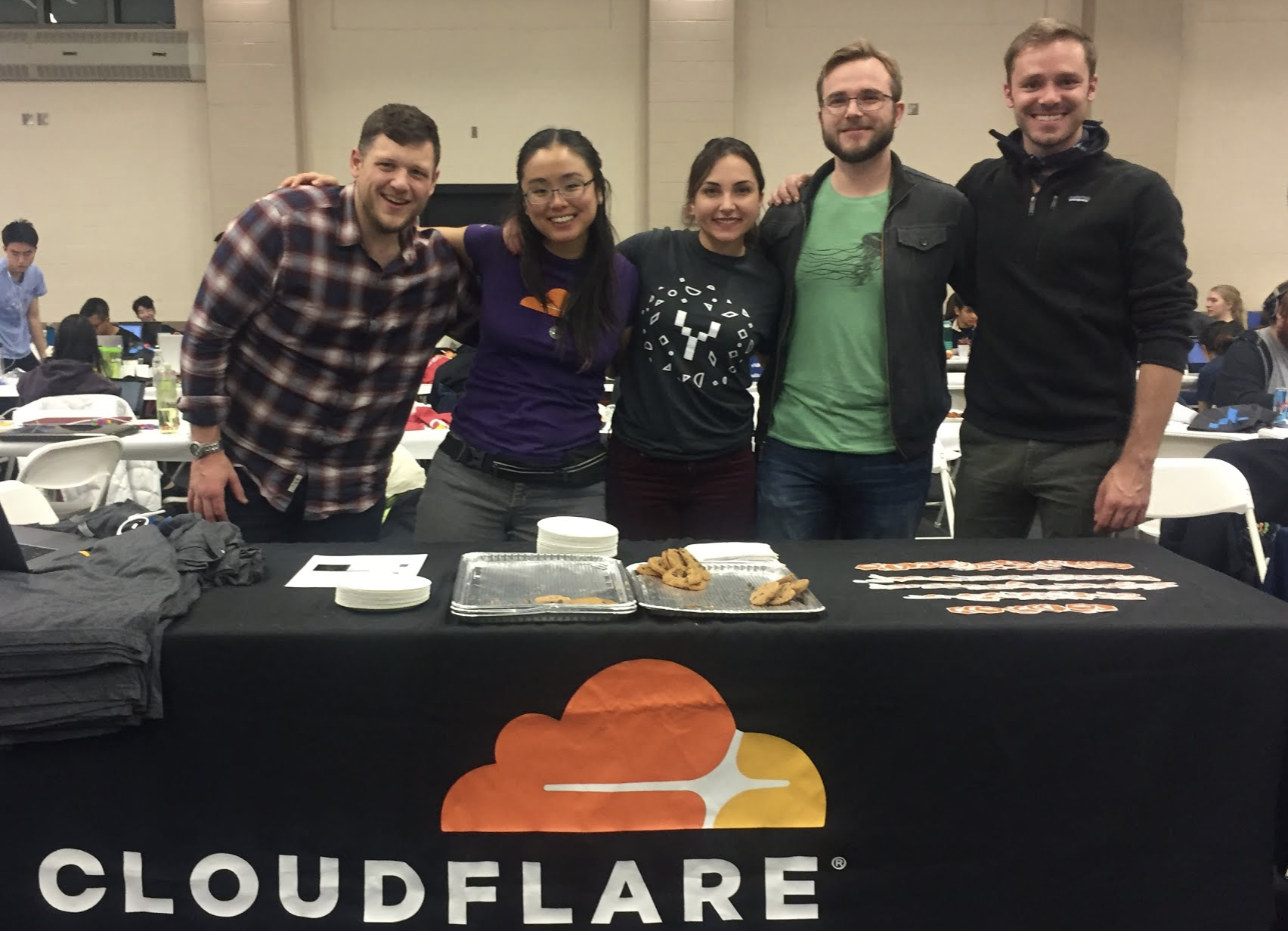
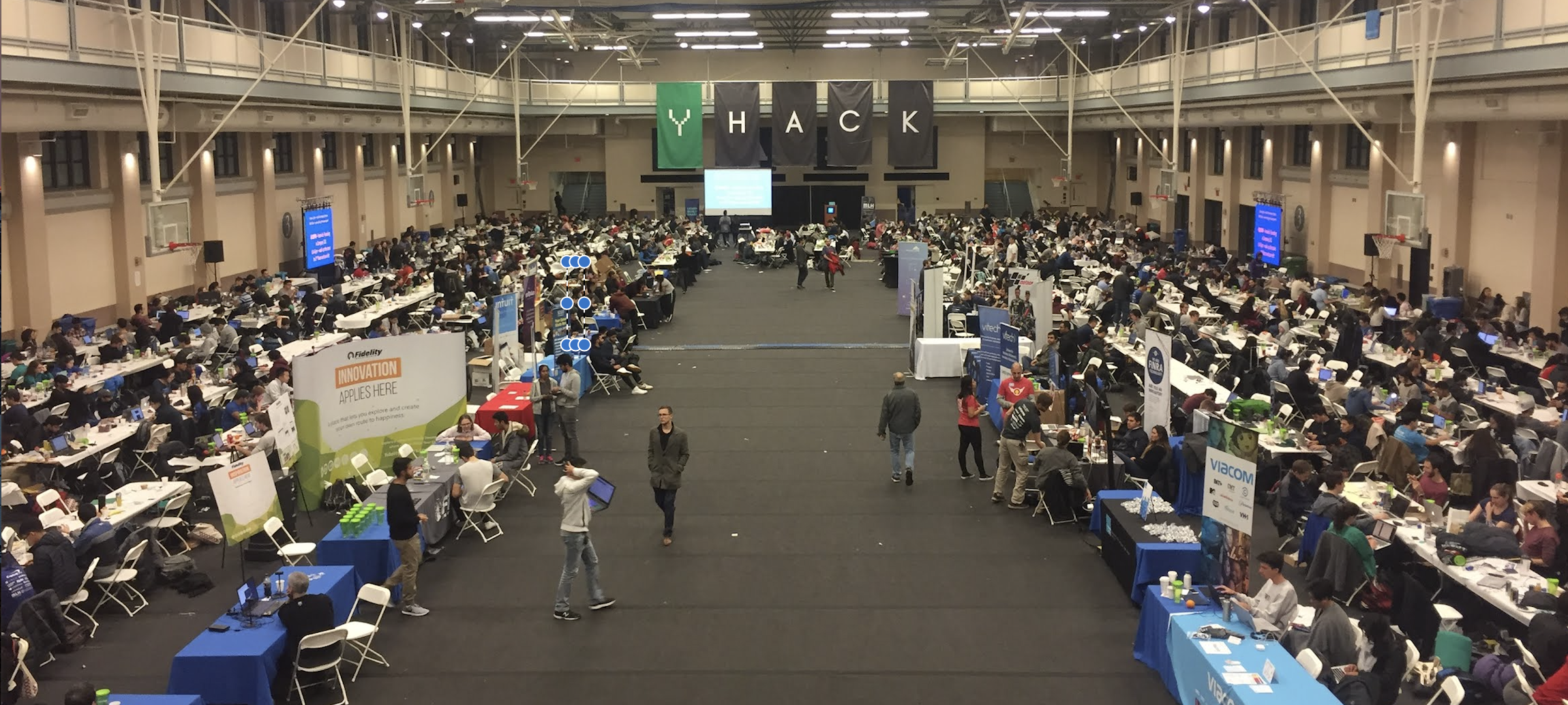
Along with four other Cloudflare colleagues, I traveled to New Haven, CT last weekend to support 1,000+ college students from Yale and beyond at YHack hackathon.
Throughout the weekend-long event, student attendees were supported by mentors, workshops, entertaining performances, tons of food and caffeine breaks, and a lot of air-mattresses and sleeping bags. Their purpose was to create projects to solve real world problems and to learn and have fun in the process.
How Cloudflare contributed
Cloudflare sponsored YHack. Our team of five wanted to support, educate, and positively impact the experience and learning of these college students. Here are some ways we engaged with students.
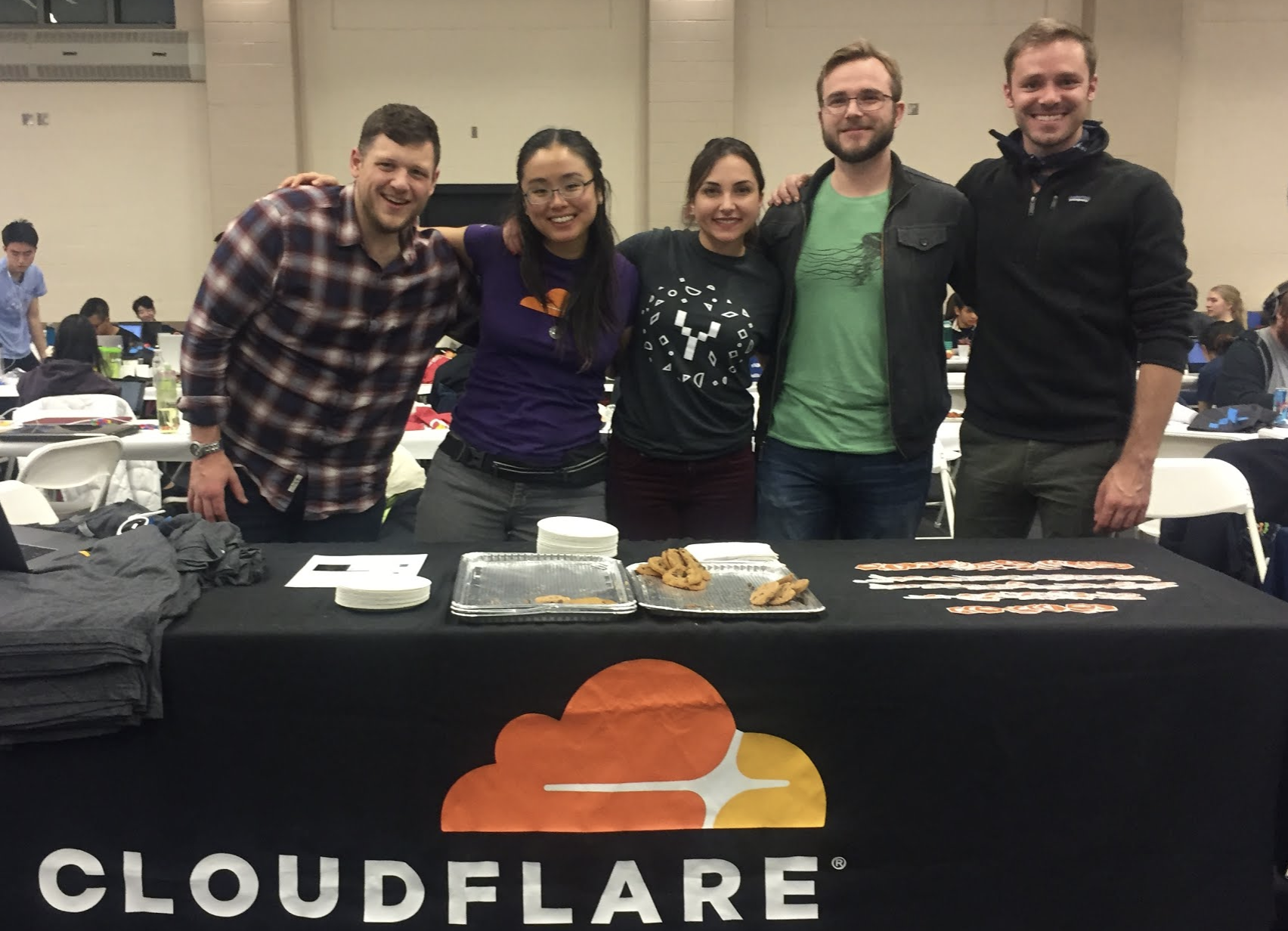
1. Mentoring
Our team of five mentors from three different teams and two different Cloudflare locations (San Francisco and Austin) was available at the Cloudflare table or via Slack for almost every hour of the event. There were a few hours in the early morning when all of us were asleep, I'm sure, but we were available to help otherwise.
2. Providing challenges
Cloudflare submitted two challenges to the student attendees, encouraging them to protect and improve the performance of their projects and/or create an opportunity for exposure to 6 million+ potential users of Continue reading
Highlights from Cloudflare’s Weekend at YHack
Along with four other Cloudflare colleagues, I traveled to New Haven, CT last weekend to support 1,000+ college students from Yale and beyond at YHack hackathon.
Throughout the weekend-long event, student attendees were supported by mentors, workshops, entertaining performances, tons of food and caffeine breaks, and a lot of air-mattresses and sleeping bags. Their purpose was to create projects to solve real world problems and to learn and have fun in the process.
How Cloudflare contributed
Cloudflare sponsored YHack. Our team of five wanted to support, educate, and positively impact the experience and learning of these college students. Here are some ways we engaged with students.
1. Mentoring
Our team of five mentors from three different teams and two different Cloudflare locations (San Francisco and Austin) was available at the Cloudflare table or via Slack for almost every hour of the event. There were a few hours in the early morning when all of us were asleep, I'm sure, but we were available to help otherwise.
2. Providing challenges
Cloudflare submitted two challenges to the student attendees, encouraging them to protect and improve the performance of their projects and/or create an opportunity for exposure to 6 million+ potential users of Continue reading
Web-scale data: Are you letting stability outweigh innovation?
At Cumulus Networks, we’re dedicated to listening to feedback about what people want from their data centers and developing products and functionality that the industry really needs. As a result, in early 2017, we launched a survey all about trends in data center and web-scale networking to get a better understanding of what the landscape looks like. With over 130 respondents from various organizations and locations across the world, we acquired some pretty interesting data. This blog post will take you through a little teaser of what we discovered (although if you just can’t wait to read the whole thing, you can check out the full report here) and a brief analysis of what this data means. So, what exactly are people looking for in their data centers this coming year? Let’s look over some of our most fascinating findings.
What initiatives are organizations most invested in?
There are a lot of exciting ways to optimize a data center, but what major issues are companies most concerned with? Well, according to the data we acquired, cost-effective scalability is the most pressing matter on organizations’ minds. Improved security follows behind at a close second, as we can tell from the Continue reading
What Exactly Should My MAC Address Be?
Looks like I’m becoming the gateway-of-last-resort for people encountering totally weird Nexus OS bugs. Here’s another beauty…
I'm involved in a Nexus 9500 (NX-OS) migration project, and one bug recently caused vPC-connected Catalyst switches to err-disable (STP channel-misconfig) their port-channel members (CSCvg05807), effectively shutting down the network for our campus during what was supposed to be a "non-disruptive" ISSU upgrade.
Weird, right? Wait, there’s more…
Read more ...NVLink Shines On Power9 For AI And HPC Tests
The differences between peak theoretical computing capacity of a system and the actual performance it delivers can be stark. This is the case with any symmetric or asymmetric processing complex, where the interconnect and the method of dispatching work across the computing elements is crucial, and in modern hybrid systems that might tightly couple CPUs, GPUs, FPGAs, and memory class storage on various interconnects, the links could end up being as important as the compute.
As we have discussed previously, IBM’s new “Witherspoon” AC922 hybrid system, which was launched recently and which starts shipping next week, is designed from …
NVLink Shines On Power9 For AI And HPC Tests was written by Timothy Prickett Morgan at The Next Platform.
Namibia Chapter Launches in the “Land of the Brave”
Namibia becomes the 32nd Internet Society (ISOC) chartered chapter to launch in Africa. Namibia is a Southern Africa country just slightly bigger than Texas, and the 34th largest country in the world , with 2.3 million inhabitants according to the last census (2011). Popularly referred as the “Land Of The Brave,” Namibia is the only place on the continent of Africa where the Atlantic ocean meets the desert.
The new chapter sets itself to serve an important role: being at the centre of Internet development & policy in the country. The ISOC Namibia Chapter seeks to address the digital divide and emerging Internet issues in Namibia with some core objectives:
- To add value to the Internet ecosystem at its locality
- To advocate for a secure cyber environment
- To promote free & secured Internet access for all
The chapter’s key interests in the country include collaborating with strategic partners on community network projects, strengthening local IXPs, as well as issues related to security and furthering connectivity.
The colorful launch event was attended by 111 participants and was officiated by the Minister of ICT, Honourable Tjekero Tweya. An additional government delegation of members of the Parliamentary Committee on ICTs, led by the Continue reading
Juniper Flips OpenContrail To The Linux Foundation
It’s a familiar story arc for open source efforts started by vendors or vendor-led industry consortiums. The initiatives are launched and expanded, but eventually they find their way into independent open source organizations such as the Linux Foundation, where vendor control is lessened, communities are able to grow, and similar projects can cross-pollinate in hopes of driving greater standardization in the industry and adoption within enterprises.
It happened with Xen, the virtualization technology that initially started with XenSource and was bought by Citrix Systems but now is under the auspices of the Linux Foundation. The Linux kernel lives there, too, …
Juniper Flips OpenContrail To The Linux Foundation was written by Jeffrey Burt at The Next Platform.
Enable nested virtualization on Google Cloud
Google Cloud Platform introduced nested virtualization support in September 2017. Nested virtualization is especially interesting to network emulation research since it allow users to run unmodified versions of popular network emulation tools like GNS3, EVE-NG, and Cloonix on a cloud instance.
Google Cloud supports nested virtualization using the KVM hypervisor on Linux instances. It does not support other hypervisors like VMware ESX or Xen, and it does not support nested virtualization for Windows instances.
In this post, I show how I set up nested virtualization in Google Cloud and I test the performance of nested virtual machines running on a Google Cloud VM instance.
Create Google Cloud account
Sign up for a free trial on Google Cloud. Google offers a generous three hundred dollar credit that is valid for a period of one year. So you pay nothing until either you have consumed $300 worth of services or one year has passed. I have been hacking on Google cloud for one month, using relatively large VMs, and I have consumed only 25% of my credits.
If you already use Google services like G-mail, then you already have a Google account and adding Google Cloud to your account is easy. Continue reading
Show 370: Cisco & IPv6 Segment Routing (Sponsored)
Today's sponsored Weekly Show dives into IPv6 Segment Routing with Cisco and network architects from Bell Canada and LinkedIn. We discuss just how IPv6 Segment Routing makes the network programmable. The post Show 370: Cisco & IPv6 Segment Routing (Sponsored) appeared first on Packet Pushers.

HPE’s New Chapter Under Neri: What’s Next?
 Neri’s fingerprints are all over HPE’s recent successful ventures.
Kubernetes 1.9 Development Shows Challenges of Growing Up
 The goal is to make future releases more boring.
CableLabs Announces Two Open Source Projects for NFV
 The membership group wants to fill in some gaps in open source.

SDxCentral’s Weekly Roundup — December 15, 2017
 AWS opens its 17th global region; ZTE launches IoT Platform; Verizon opens 5G-enabled lab.