
Spotify’s Cloudflare App is open source: fork it for your next project
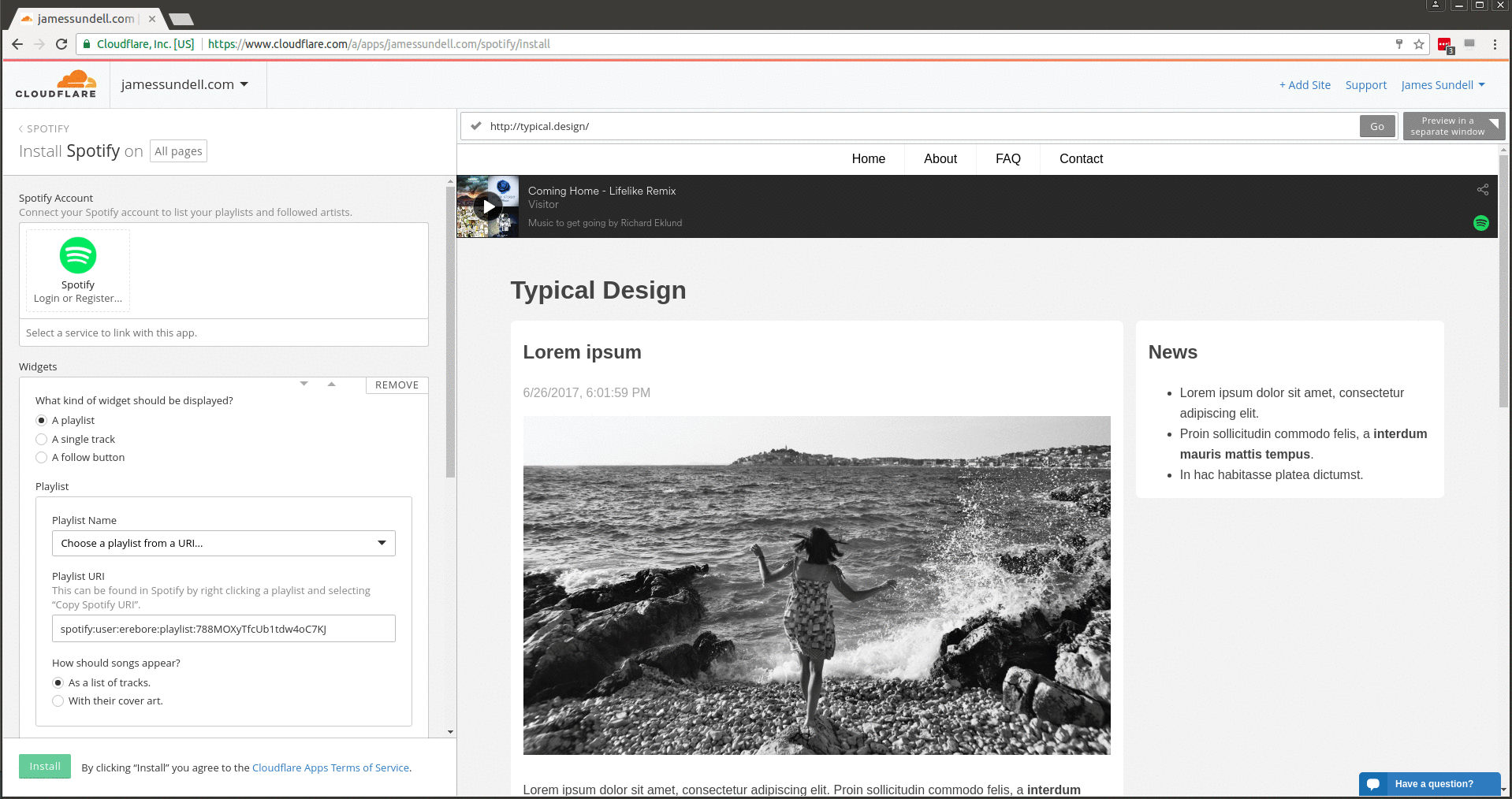

Earlier this year, Cloudflare Apps was launched so app developers may leverage our global network of 6 million+ websites, applications, and APIs. I’d like to take a moment to highlight Spotify, which was a launch partner for Cloudflare Apps, especially since they have elected to open source the code to their Cloudflare App.
About Spotify
Spotify is the leading digital service for streaming music, serving more than 140 million listeners.
What does the Spotify app do?
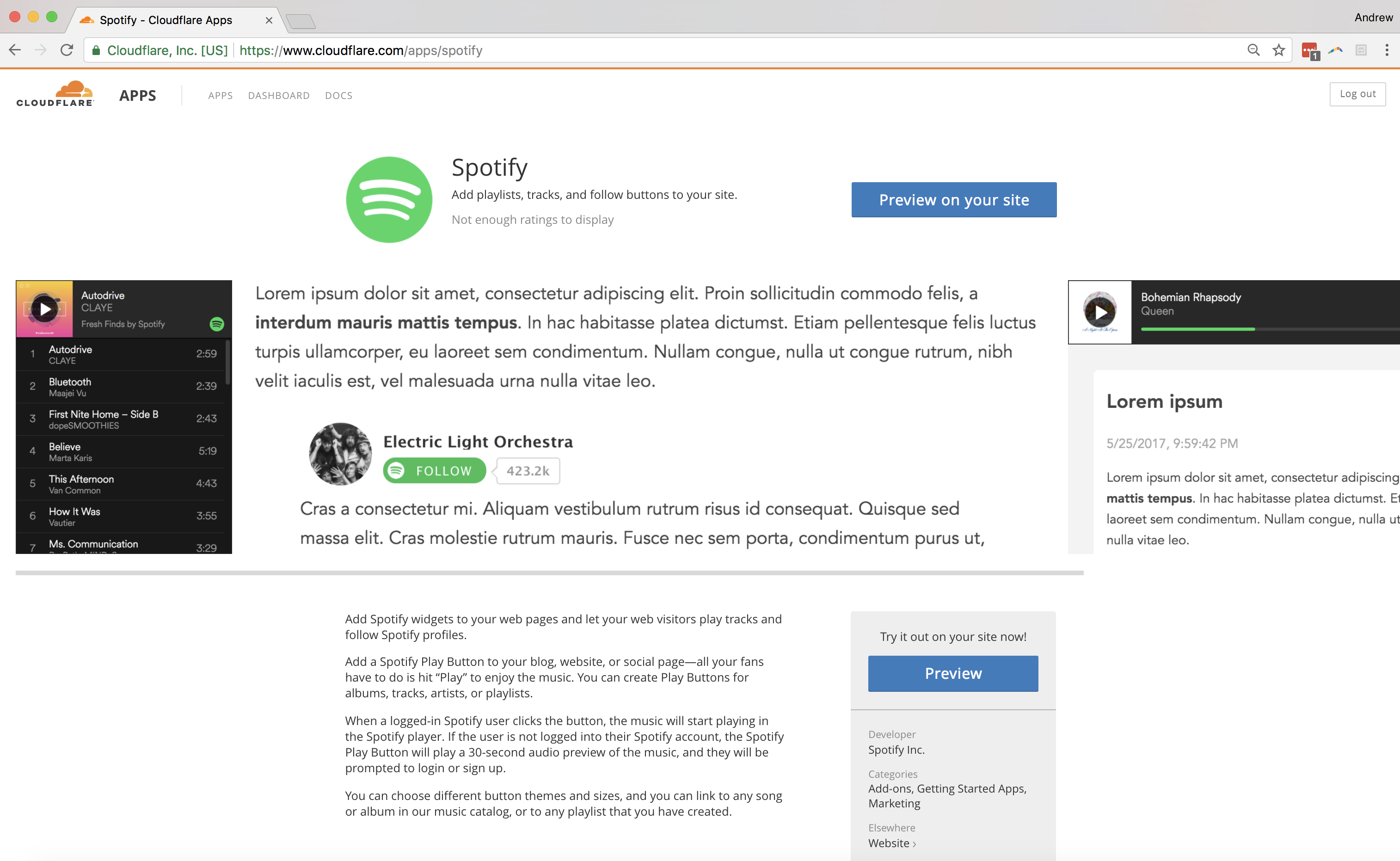
Recently, Spotify launched a Cloudflare App to instantly and easily embed the Spotify player onto your website without having to copy / paste anything.
Who should install the Spotify app?
A musician who runs a site for their band - they can now play samples of new tracks on their tour calendar page and psych up their fans.
A game creator who wants to share their game's soundtrack with their fans.
An activewear company which wants to deliver popular running playlists to its customers.
Web properties that install the Spotify app have the ability to increase user engagement.
Add Spotify widgets to your web pages and let your users play tracks and follow Spotify profiles. Add a Spotify Play Button Continue reading
DockerCon EU 2017: All the videos are now live!
In case you missed it last week, here are the highlights from DockerCon Europe 2017 including recordings of the keynotes. We’re excited to announce that most of the breakout videos are now available online! A big thanks to all our awesome speakers for working hard on the content of their sessions. All the videos are published on the Docker Website, the slides available from the Docker Slideshare account and photos soon uploaded to a DockerCon EU 2017 album on facebook.

Here are the links to the playlists of each track:
Using Docker
Using Docker sessions are introductory sessions for Docker users, dev and ops alike. Filled with practical advice, learnings and insight, these sessions will help you get started with Docker or better implement Docker into your workflow.
Docker Best Practices
Docker Best Practices sessions provide a deeper dive into Docker tooling, implementation and real world production use recommendations. If you are ready to get to the next level with your Docker usage, join this track for best practices from the Docker team.
Use Case
Use case sessions highlight how companies are using Docker to modernize their infrastructure and build, ship and run distributed applications. These sessions are heavy on Continue reading
ThousandEyes Adds Device Layer to Monitor Network Health
 The platform automatically maps out network device topology.
History Of Networking – Donnie Savage – EIGRP
Donnie Savage joins Network Collective to talk about his role in the history of EIGRP. From its early implementations to moving this formerly fully proprietary protocol through the IETF, Donnie has played a significant role in guiding EIGRP to where it is today.
Outro Music:
Danger Storm Kevin MacLeod (incompetech.com)
Licensed under Creative Commons: By Attribution 3.0 License
http://creativecommons.org/licenses/by/3.0/
The post History Of Networking – Donnie Savage – EIGRP appeared first on Network Collective.
Microsoft Deepens Kubernetes Support Within Azure Container Service
 This latest move further differentiates Microsoft from rival AWS in the cloud space.
Worth Reading: 4 Tips to Fight Propoganda
The post Worth Reading: 4 Tips to Fight Propoganda appeared first on rule 11 reader.
NetApp Moves Healthix Toward Real-Time Analytics for 16M Patients
 The new all-flash storage supports the analytics engine that updates patient risk scores every night.
Datanauts 107: Found On The Internet Series 3
The Datanauts discuss stories they found on the Internet that apply to the Datanauts audience, including the rise of container adoption, storage networking, IT blame culture & more. The post Datanauts 107: Found On The Internet Series 3 appeared first on Packet Pushers.

3 Ways to Fail at Logging with Flask
For the benefit of readers who haven’t worked with Flask or don’t know what Flask is, it’s a so-called microframework for writing web-based applications in Python. Basically, the framework takes care of all the obvious tasks that are needed to run a web app. Things like talking HTTP to clients, routing incoming requests to the appropriate handler in the app, and formatting output to send back to the client in response to their request. When you use a framework like this, you as the developer can concentrate a lot more on the application logic and worry a lot less about hooking the app into the web.
As you may have guessed from the title of this post, one of the other tasks that Flask manages is logging within the application. For example, if you want to emit a log message when a user logs in or when they upload a new photo, Flask provides a simple interface to generate those log messages.
Flask has a large community of active users built around it and as a result, there’s tons of best practice information out there on scaling, talking to a database, and even whole tutorials on how to Continue reading
The Linux Migration: Wrap-Up
As many readers are probably already aware, I embarked on a journey earlier this year to make Linux my primary laptop OS (see this update from April of this year). That journey ended (for now) when I ordered a new 13” MacBook Pro just before VMworld US. In this post, I’d like to reflect a bit on my journey, and what it means for others who may be interested in similar journeys of their own.
So why the switch back to macOS? Well, it certainly does not have anything to do with changes on the macOS side; all my concerns (first expressed here in late November of 2012, almost five years ago) are still present. By all indications, the trend to “iOS-ify” macOS continues; this may be great for the masses but isn’t so great for “power users” such as myself, in my humble opinion.
In the end, the decision to switch back to macOS really comes down to productivity. I think that my July 2017 update post probably sums it up best: for me, trying to use Linux as my primary laptop OS was like “death from a thousand cuts.” While I strongly prefer to use Linux as Continue reading
A surprising amount of people want to be in North Korea
A surprising amount of people want to be in North Korea
While the president of the United States and the leader of North Korea were/are currently beefing on Twitter about who should destroy the world first, North Korea was also causing me some pers