Inside the infamous Mirai IoT Botnet: A Retrospective Analysis


This is a guest post by Elie Bursztein who writes about security and anti-abuse research. It was first published on his blog and has been lightly edited.
This post provides a retrospective analysis of Mirai — the infamous Internet-of-Things botnet that took down major websites via massive distributed denial-of-service using hundreds of thousands of compromised Internet-Of-Things devices. This research was conducted by a team of researchers from Cloudflare (Jaime Cochran, Nick Sullivan), Georgia Tech, Google, Akamai, the University of Illinois, the University of Michigan, and Merit Network and resulted in a paper published at USENIX Security 2017.
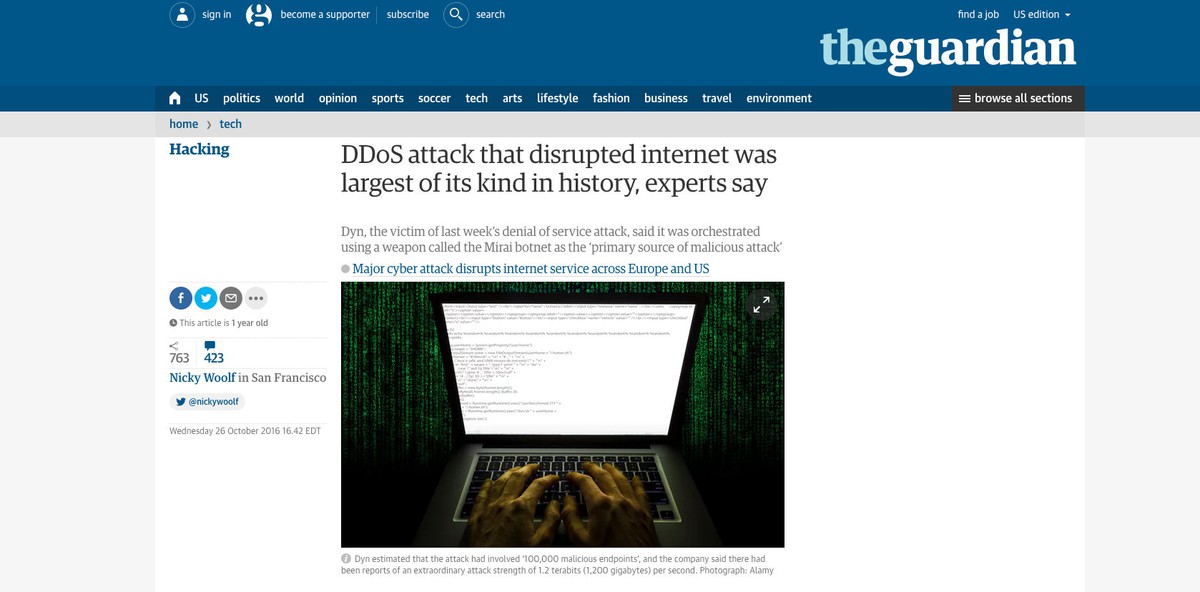
At its peak in September 2016, Mirai temporarily crippled several high-profile services such as OVH, Dyn, and Krebs on Security via massive distributed Denial of service attacks (DDoS). OVH reported that these attacks exceeded 1 Tbps—the largest on public record.
What’s remarkable about these record-breaking attacks is they were carried out via small, innocuous Internet-of-Things (IoT) devices like home routers, air-quality monitors, and personal surveillance cameras. At its peak, Mirai infected over 600,000 vulnerable IoT devices, according to our measurements.
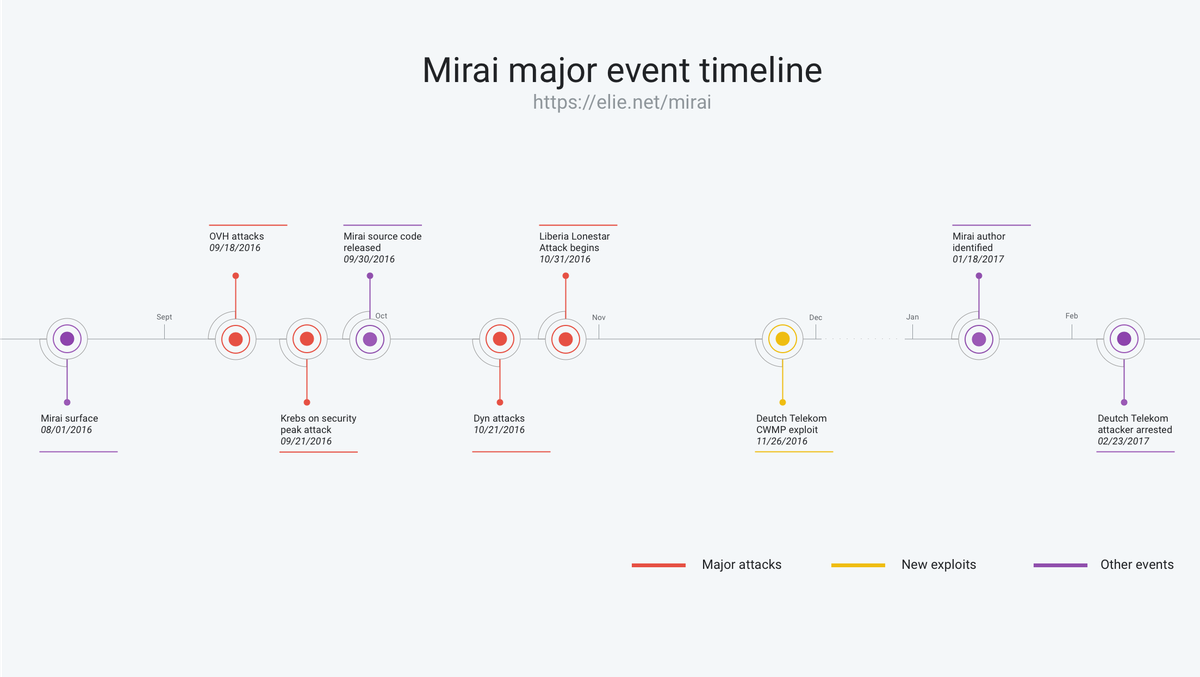
This blog post follows the timeline above
- Mirai Genesis: Discusses Mirai’s early days and provides a brief technical overview of Continue reading
Inside the infamous Mirai IoT Botnet: A Retrospective Analysis
This is a guest post by Elie Bursztein who writes about security and anti-abuse research. It was first published on his blog and has been lightly edited.
This post provides a retrospective analysis of Mirai — the infamous Internet-of-Things botnet that took down major websites via massive distributed denial-of-service using hundreds of thousands of compromised Internet-Of-Things devices. This research was conducted by a team of researchers from Cloudflare, Georgia Tech, Google, Akamai, the University of Illinois, the University of Michigan, and Merit Network and resulted in a paper published at USENIX Security 2017.
At its peak in September 2016, Mirai temporarily crippled several high-profile services such as OVH, Dyn, and Krebs on Security via massive distributed Denial of service attacks (DDoS). OVH reported that these attacks exceeded 1 Tbps—the largest on public record.
What’s remarkable about these record-breaking attacks is they were carried out via small, innocuous Internet-of-Things (IoT) devices like home routers, air-quality monitors, and personal surveillance cameras. At its peak, Mirai infected over 600,000 vulnerable IoT devices, according to our measurements.
This blog post follows the timeline above
- Mirai Genesis: Discusses Mirai’s early days and provides a brief technical overview of how Mirai works and Continue reading
Xen Project Pushes Security-Focused Update for Cloud Hypervisor
 Reports indicate AWS support could be waning.
ETSI Zero-Touch Group Tackles 5G Network Automation
 Service providers say 5G challenges require using NFV, SDN, and MEC.
Enterprises Challenged By The Many Guises Of AI
Artificial intelligence and machine learning, which found solid footing among the hyperscalers and is now expanding into the HPC community, are at the top of the list of new technologies that enterprises want to embrace for all kinds of reasons. But it all boils down to the same problem: Sorting through the increasing amounts of data coming into their environments and finding patterns that will help them to run their businesses more efficiently, to make better businesses decisions, and ultimately to make more money.
Enterprises are increasingly experimenting with the various frameworks and tools that are on the market …
Enterprises Challenged By The Many Guises Of AI was written by Jeffrey Burt at The Next Platform.
Forecasting Death of the CLI
Everything in networking is acquiring an API. What happens to the command line interface?
‘net Neutrality Collection
I’ve run across a lot of interesting perspectives on ‘net Neutrality; to make things easier, I’ve pulled them onto a single page. For anyone who’s interested in hearing every side of the issue, this is a good collection of articles to read through.
Stateless Garners $1.4M Seed Round, Re-Architects Network Functions
 The Colorado startup graduated from Techstars accelerator program this year.
Vapor IO Builds Kinetic Edge Virtual Data Center Architecture
 One site in Chicago is already operational, and a second will come online this month.
Together We Can Reduce Barriers
Accessibility is human right.
People with disabilities want and need to use the Internet just like everyone else, but what can we do to reduce barriers? Especially when one billion people globally have a disability, with 80% living in developing countries.
But accessibility doesn’t just happen. Policymakers, program managers, and technical experts need to incorporate it into their work right from the start – and we need champions for accessibility to make it happen.
Everyone in the Internet community can contribute to reducing barriers! People working with policy, programs, communications, and education can incorporate accessibility.
It doesn’t just start with websites. While this type of access is crucial, we can go even further – accessible interfaces for the Internet of Things or phone apps are just two examples.
In addition, organizations can offer a more inclusive approach with:
- Learning programs and packages (content and delivery)
- Communications programs – websites, online conferencing, discussion forums, printed material
- Policy development – has a policy position been considered in terms of its effects on people with disability?
Want to learn more about what you can do to make the Internet accessible for all? Read the W3C Introduction to Web Accessibility, and learn about the Continue reading
Former Open-O Director Marc Cohn Joins EnterpriseWeb
 Cohn has been a leader in open source SDN and NFV.
There’s Always Cache in the Banana Stand


We’re happy to announce that we now support all HTTP Cache-Control response directives. This puts powerful control in the hands of you, the people running origin servers around the world. We believe we have the strongest support for Internet standard cache-control directives of any large scale cache on the Internet.
Documentation on Cache-Control is available here.
Cloudflare runs a Content Distribution Network (CDN) across our globally distributed network edge. Our CDN works by caching our customers’ web content at over 119 data centers around the world and serving that content to the visitors nearest to each of our network locations. In turn, our customers’ websites and applications are much faster, more
available, and more secure for their end users.
A CDN’s fundamental working principle is simple: storing stuff closer to where it’s needed means it will get to its ultimate destination faster. And, serving something from more places means it’s more reliably available.
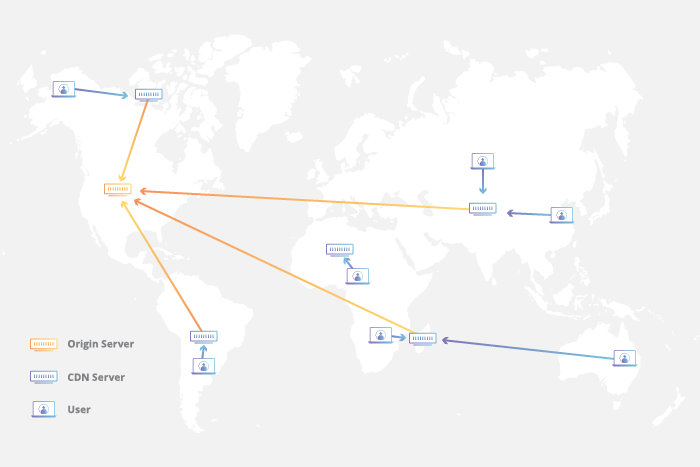
To use a simple banana analogy: say you want a banana. You go to your local fruit stand to pick up a bunch to feed your inner monkey. You expect the store to have bananas in stock, which would satisfy your request instantly. But, what if Continue reading
There’s Always Cache in the Banana Stand
We’re happy to announce that we now support all HTTP Cache-Control response directives. This puts powerful control in the hands of you, the people running origin servers around the world. We believe we have the strongest support for Internet standard cache-control directives of any large scale cache on the Internet.
Documentation on Cache-Control is available here.
Cloudflare runs a Content Distribution Network (CDN) across our globally distributed network edge. Our CDN works by caching our customers’ web content at over 119 data centers around the world and serving that content to the visitors nearest to each of our network locations. In turn, our customers’ websites and applications are much faster, more
available, and more secure for their end users.
A CDN’s fundamental working principle is simple: storing stuff closer to where it’s needed means it will get to its ultimate destination faster. And, serving something from more places means it’s more reliably available.
To use a simple banana analogy: say you want a banana. You go to your local fruit stand to pick up a bunch to feed your inner monkey. You expect the store to have bananas in stock, which would satisfy your request instantly. But, what if Continue reading