BGP hijack incident by Syrian Telecommunications Establishment
The Syrian national Telecommunications Establishment (STE) has been in the news numerous times over the last few years, mostly because of the long lasting large scale Internet outages in Syria. This morning however we observed a new incident involving the two Autonomous systems for STE (AS29386 and AS29256). Starting at 08:33 UTC we detected that hundreds of new prefixes were being announced by primarily AS 29386. The new BGP announcements by STE (AS29386) were for prefixes that are not owned or operates by the Syrian Telco and as a result triggered ‘hijack / origin AS’ alerts for numerous BGPmon users. The announcements lasted for a few minutes only and we saw paths changing back to the original origin AS at about 08:37 UTC.
RIPE stat has some great tools that visualize the event, this example shows what happened to the youtube prefix 208.117.232.0/24
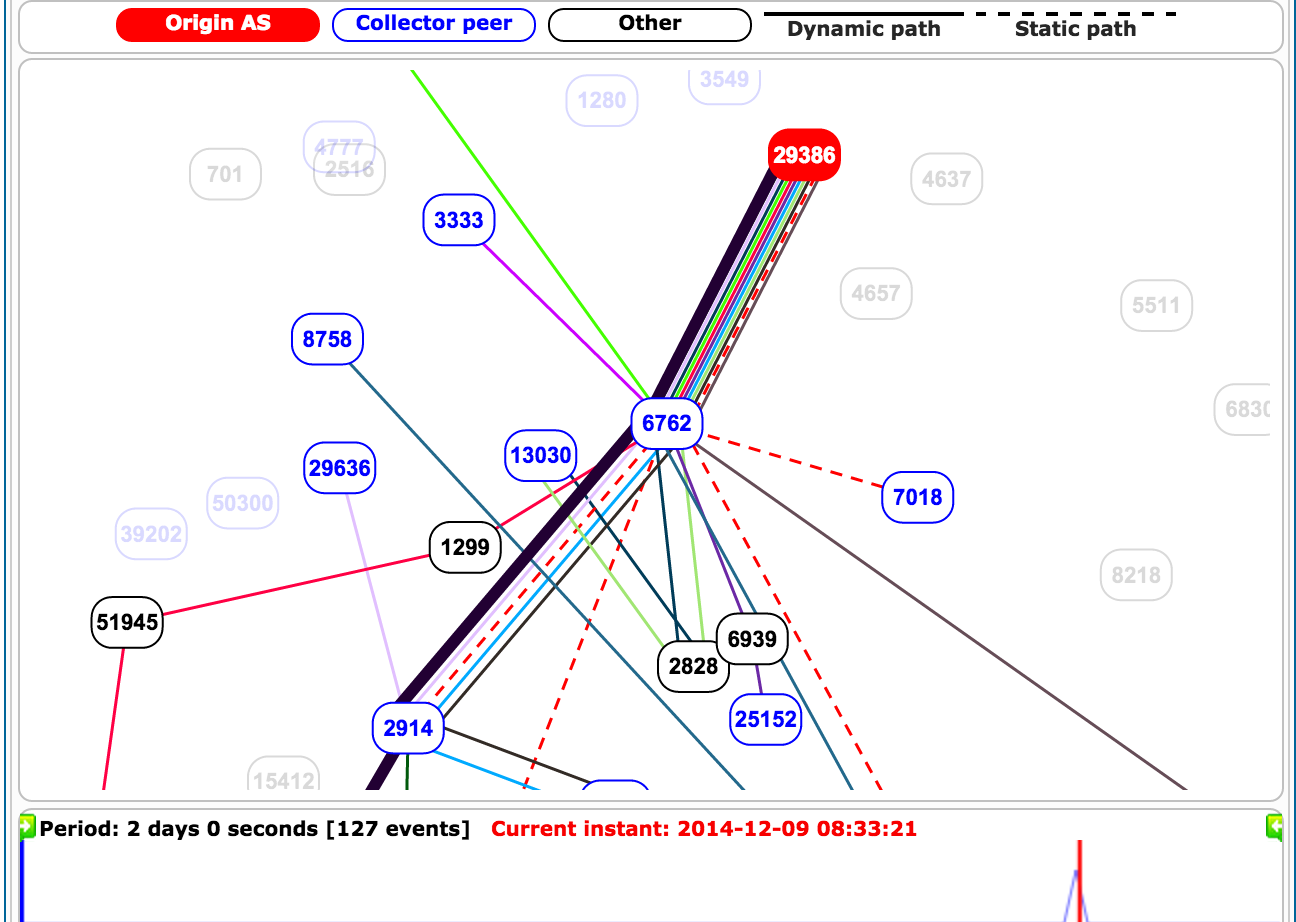
Propagation
STE buys upstream connectivity to the rest of the Internet via three providers, AS3491 (PCCW Global), AS3320 (Deutsche Telekom AG) and AS6762 (Telecom Italia Sparkle). The ‘bad’ BGP updates from this morning were only seen via Telecom Italia. This is either because STE only announced it to Telecom Italia, or because the other two providers filtered Continue reading





 Isn’t it about time we were honest with ourselves, though? Isn’t it about time we told the truth about this particular problem? Blaming Powerpoint for bad presentations is like blaming word processors for badly written books.

