Ansible Vault
Up until now, we've been storing the username and password for our switches in plain text. I mentioned a couple of times that this isn't a good idea, and now it's time to fix it.
Storing passwords in plain text might be fine in a lab, but in a real network, it's a big problem. Anyone who has access to your project directory can open the file and see the credentials for every device. And once you start storing your playbooks in Git, which you should, those passwords end up in your repository history as well, where they can stay long after you've removed them from the file.
Vault is a feature built into Ansible that lets you encrypt sensitive data, such as passwords, so it can't be read without a vault password. The best part is that Ansible decrypts it automatically when you run a playbook, so your playbooks don't need to change at all.
In this chapter, we'll encrypt the credentials for our switches, look at how to run playbooks with encrypted files, and cover a few different ways to work with Vault day to day.
Encrypting a File
We're continuing from where we left off in the Continue reading
Working with Ansible Inventory and Variables
In the previous chapter, we created inventory groups and moved the connection settings into the cisco group, so we only had to define them once. That works fine for now, but as your network grows, the inventory file can quickly get long and hard to manage, especially once you start adding more variables for each group and device.
We also have the VLANs hardcoded in the playbook. Right now, every switch gets the same four VLANs. But in a real network, you'll probably want different VLANs on the core switches and the access switches, and maybe even a specific VLAN on just one switch. Creating a separate playbook for each case isn't a good idea.
In this chapter, we'll look at how to organise the inventory and variables properly using group_vars and host_vars. We'll move the VLANs out of the playbook and into variables, so the same playbook can create different VLANs on different switches. We'll also look at how Ansible decides which variable to use when the same variable is defined in more than one place, and a few useful ways to target devices when running a playbook.
Moving Variables Out of the Inventory
At the moment, our connection Continue reading
Pushing Configuration with Ansible
So far, we've only used Ansible to run show commands, which is a great way to get started because there's no risk of breaking anything. But at some point, you'll want to use Ansible to actually make changes, and that's what this chapter is all about.
We'll start small by creating a single VLAN on a single switch. From there, we'll create multiple VLANs, then run the same playbook against more devices, and slowly build on it until we're managing different VLANs on different switches. Each step introduces something new, so by the end of the chapter, you'll have covered a lot of the core Ansible concepts without even noticing.
Since we're working with VLANs, you'll need switches in your lab. If you're using Cisco IOS like me, make sure you're using the Layer 2 image rather than the router image. To keep things simple, I'll start with a single switch called s1, and we'll add more devices later in the chapter.
As always, please make sure you're running this in a lab and not on production devices. We're about to start making changes, so it's a good time to be extra careful.
Lab Setup
Since we're working with Continue reading
Understanding YAML and Ansible Playbooks
YAML is a plain text format used to store and organize data. It's designed to be easy for humans to read and write, which is one of the main reasons Ansible uses it. The name originally stood for "Yet Another Markup Language", but it was later changed to "YAML Ain't Markup Language" to make it clear that it's meant for data, not documents.
In Ansible, almost everything you write is in YAML, including playbooks, inventory files, and variables. You've already seen two YAML files in the previous chapter, the inventory and the playbook.
If you've used Containerlab or Netlab, you've already worked with YAML, since their topology files are written in YAML too. It's also used by many other tools such as Docker Compose and Kubernetes, so learning it now will help you well beyond Ansible.
Here's a simple example of what YAML looks like.
hostname: r1
mgmt_ip: 192.168.202.101
ntp_servers:
  - 10.10.10.10
  - 10.10.10.11
Even if you've never seen YAML before, you can probably tell what this means. We have a device called r1, its management IP, and a list of two NTP servers.
YAML is simple, but it's also Continue reading
Why Network Automation and Why Ansible?
Before we install anything or write our first playbook, I want to spend a bit of time on why network automation matters and why Ansible is a good place to start. If you already know why you're here, feel free to skim this chapter, but I think it's worth understanding the problem before jumping into the tool.
The Way We've Always Done It
For most of us, managing a network looks something like this. You open a terminal, SSH into a device, run a few show commands, paste in some config from a text file, verify it, save it, and move on to the next device. Repeat that for as many devices as you need to change.
There's nothing wrong with this approach when you're dealing with a handful of devices. I've done it for years, and so have most network engineers. The problems start when the network grows.
Imagine you need to change the NTP servers on 200 switches or configure Radius authentication on hundreds of devices. Doing that manually means logging into each switch, removing the old servers, adding the new ones, and saving the config. Even if each device only takes two minutes, that's almost seven hours Continue reading
Netmiko vs Ansible: Executing Scripts
My initial “configuring Arista cEOS with Netmiko or Ansible” test was a bit biased. netlab generates the final configuration snippets in both cases (due to Ansible FUBARs we had to deal with), but then Netmiko just sends the configuration commands to the switch (after entering configuration mode), while the Ansible eos_config module executes show running, identifies the difference, and sends only the changes to the device.
While that use case is highly relevant (after all, we’re configuring network devices ;) I really should have done an apples-to-apples comparison, and FRRouting virtual machines are the ideal playground.
Yandex outage: Data shows that instead of going dark, malicious bots went on the move
Following reported strikes on Yandex data centers, claims circulated on the Internet that Russian bot farms and influence operations had been knocked offline. HTTP traffic charts showed steep drops, fueling speculation that the infrastructure damage had stopped these malicious actors. However, aggregate traffic metrics can easily mislead. There are two autonomous system numbers (ASNs) associated with Yandex: AS13238 is used by Yandex’s search engine, while AS200350 runs its cloud services.
Using Cloudflare Radar and Bot Management data, we analyzed how these two ASNs were affected — and while both saw drops in traffic, they saw differing impact.
- Yandex Search (AS13238): The drop in traffic consisted almost entirely of verified search crawlers indexing web pages, images, and site resources.
- Yandex.Cloud (AS200350): There was a decline in malicious activities like vulnerability scanning and probing, but high-volume automation did not vanish — it simply migrated to other hosting providers.
While malicious traffic may originate from a particular provider, it does not necessarily tell us who is responsible for the traffic. Understanding why the strikes had little lasting effect on malicious traffic requires analyzing request behavior, rather than just overall traffic patterns.
What happened: the effect of the strikes and pre-event Continue reading
Inside Hyperdrive: How we solved a rare Hyperdrive MySQL caching bug
Hyperdrive support for MySQL is now generally available (GA). Hyperdrive, Cloudflare’s database connection pooler for Workers, initially only supported Postgres. Since we announced the beta for MySQL protocol support last year, we have been working on making our MySQL handling as reliable as our Postgres support.
We’ve learned some things from building and running a MySQL connection pooler on Cloudflare’s network. It turns out that the difference between beta and GA is just 20 bug fixes in a trenchcoat.
During the beta, our goal was to validate that real-world customer usage hit our production availability target of 99.99%. We knew there were gaps in our reliability since we track how often client connections from a Worker end in an error related to Hyperdrive. In addition, we had feedback from customers in the beta that led to the discovery of a rare and subtle bug in our production environment. To convey the complexity of this particular bug, we first need to explain how Hyperdrive works.
What is Hyperdrive?
Hyperdrive is a distributed database connection pooler that connects Cloudflare Workers to SQL databases. Hyperdrive holds warm SQL connections open on our global network and shares these connections across many Worker requests. Continue reading
Configuring SRv6 Layer-3 Services on Junos
Now that we know what we need to make layer-3 services (BGP-free core transporting IPv4 and IPv6 traffic) work with SRv6, let’s go through the steps needed to configure them on Junos, continuing from the baseline SRv6 with IS-IS configuration (and again relying on the excellent SRv6 Micro-SID (uSID) Basics article1 by Krzysztof Szarkowicz).
In the BGP-Free Network Core with SRv6, we identified the components we need (assuming IBGP+IGP design):
Submarine Cable Resilience
These days there is a large volume of subsea communications cables, estimated at a total of some 1.5 million kilometres, used by 607 in-service submarine cable systems. They are not just important, but they are absolutely critical to the world's telecommunication service. If they are put out of service for any reason, then our inventory of satellite systems simply could not step in and carry the massive traffic loads that are carried by this cable system. In such a catastrophic scenario there are likely to be affected communities that would be totally isolated, and this would have severe logistic and economic ramifications.Under the hood, off the hot path: How D1 scales to millions of databases
Traditional database architecture assumes you have one or two big database clusters per application, usually accompanied by a connection pooling solution. AI-assisted development and vibe coding platforms turn this model inside out and are driving applications toward many small databases: one per user, application, preview environment, or tenant.
That model fits D1 particularly well. D1 is Cloudflare's managed, serverless database based on SQLite. It allows you to create millions of databases and only pay for what you use.
The question becomes: how do you scale the control plane for millions of databases without making every query slower by sending it through centralized bottlenecks?
We made a lot of architectural changes to scale out D1 to support platforms with millions of created databases, hundreds of thousands of which are active at any point.
This post is a behind-the-scenes deep dive into how the D1 control plane works. Many of the architectural patterns we will describe can be used by anyone building on top of Cloudflare’s Developer Platform. The post also gives a glimpse into how we build our own control planes.
Growth in numbers
There was already a steady growth in D1 usage when we started planning these changes, but we Continue reading
Rewinding the exponential: How we keep hardware usage down
More than 20% of the web sits behind Cloudflare’s network, and our team, the Data team, owns the data pipeline responsible for plumbing that data (and more) from our global network to applicable central data centers. The Cloudflare network is a globally distributed system supporting tens of thousands of servers. Data that power Cloudflare Logs, SQL API, observability, internal analytics, and more flow through this network and use our data pipeline to serve customers.
In May of this year, we were providing data delivery at roughly two billion events per second. This includes customer traffic as well as data sent from internal teams. Year after year, we tackle the same problem — exponential traffic growth against linear hardware growth. We have to react to this increase in order to keep resource costs under control. Over the past five years, we’ve made various improvements to compensate for the data volume increase in comparison to hardware allocation, equivalent to deferring two and a half years of hardware expansion. This post details those changes: breaking up our monolithic data schema in 2022, adjusting compression in 2024, rearchitecting pipeline replication in spring 2026, decentralizing sampling in summer 2026, and introducing aggregations into the Continue reading
From Merged PR to Governed Pod: Automating AI Agent Deployment on Kubernetes
In short, automating the AI agent lifecycle is this year’s pitch: Google Cloud’s walkthrough of 30th July 2026 turns the whole thing into a conversation with a coding agent. On Kubernetes the deploy half of that lifecycle is already a pipeline and a set of manifests, and 2026 has shown what happens when the pipeline is the soft spot: in March a compromised GitHub Action dumped runner memory and hunted for Kubernetes tokens, and in February a GitHub issue title talked an AI triage bot into exposing a project’s publishing credentials. The pipeline that ships an agent holds more authority than the agent does, and it is the one place that can ship the agent’s permissions in the same commit as its code. This post walks the path from a merged pull request to a governed pod stage by stage, says what each stage must enforce when the workload is an agent, then says what a governance layer like Tigera Lynx can and cannot do about it. It is written for the platform and security engineers who own that pipeline, and the leads who sign off on what it deploys.
On 19th March 2026, from about 17:43 UTC, an attacker Continue reading
Crazy Delay: IOS XR OSPFv2 Default Route Origination
I decided to make Netmiko the default configuration deployment method netlab uses for Cisco IOS XR. It works great, and I don’t have to worry about whether the user runs IOS XRd control-plane (in which case scripts work) or vRouter (in which case there’s a VM inside the container, so no luck).
After fixing the initial glitches (more on that another time), all integration tests passed except the OSPFv2 default origination test. It turns out the default waiting time (30 seconds) is way too low; Cisco IOS XR needs almost 90 seconds (after its reboot completes) to originate the OSPFv2 default route.
Filter, reshape, and redact logs before export with Transformers
Logpush delivers logs in batches as quickly as possible, enabling Cloudflare to provide information almost in real time. During our recent Birthday Week, we made Logpush available on all self-serve plans and Transformers generally available.
Those changes were among eight major updates to Cloudflare Observability and reflect our commitment to make every Cloudflare feature available to everyone. This post takes a deeper look at how Transformers work inside Logpush's export pipeline. Observability teams use Logpush to export Cloudflare logs to security information and event management systems (SIEMs), analytics platforms, and object storage. Before those logs reach their destination, teams may need to remove health checks, omit sensitive fields, or reshape records for dashboards and investigations. Today, this often requires a separate processing service that teams must deploy, scale, monitor, and maintain.
For example, a team that collects logs from multiple CDNs can add a static provider field to normalize records before they reach its analytics platform. Teams also pay to export, ingest, and store records they discard as soon as they arrive, so filtering them before delivery can reduce downstream data volume and cost.
With Transformers, that processing moves into the Logpush export workflow.Teams define a SQL query Continue reading
New Tool – OS Upgrade Path Finder
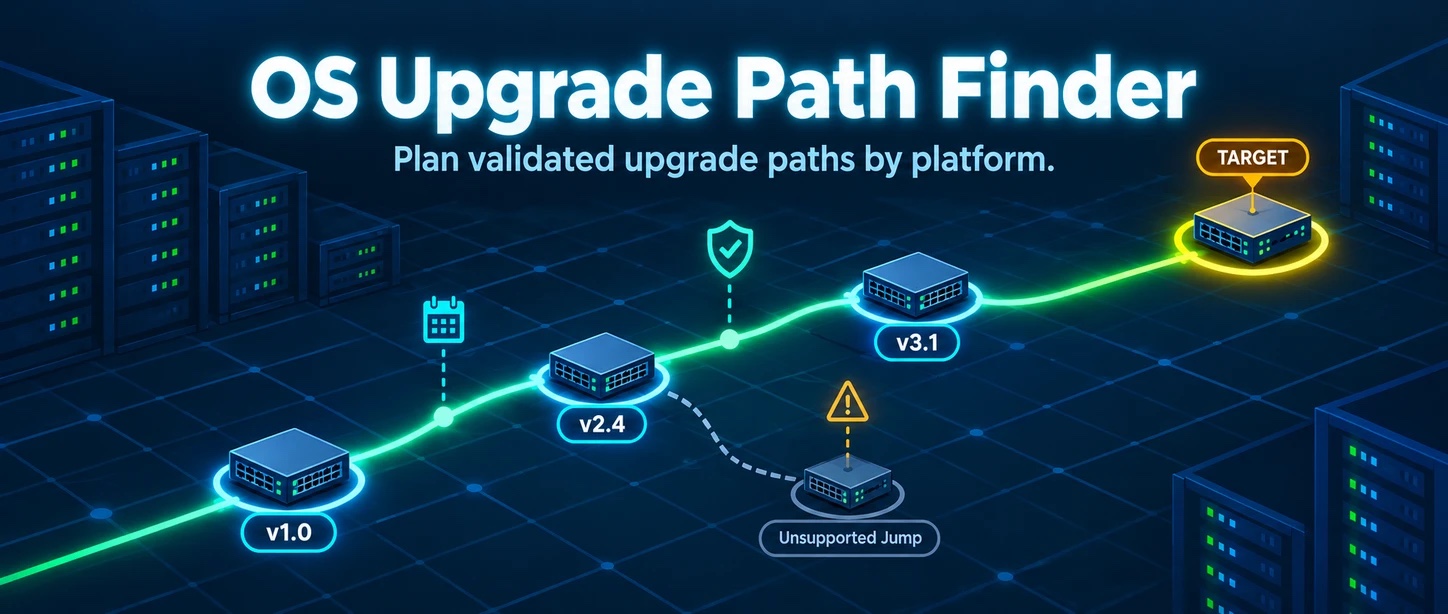
New on the Network Tools page: the OS Upgrade Path Finder. You tell it what you’re running and where you want to land, and it figures out the hops.
Why does this exist? Because we got tired of checking all the vendor sites every time we had to plan an upgrade, just to find out what can go to what. We wanted to save ourselves some time, and figured why not share!
Sample netlab SRv6 Lab Topologies
With the growing number of SRv6 implementations that netlab supports, it made sense to create a set of topologies to help you get started exploring the SRv6 world. The sample topologies include:
- SRv6 with IS-IS including LLA-only core links
- Multivendor SRv6
- IPv4 Islands over SRv6-Enabled IPv6 Core
- IPv6 BGP-Free Core with SRv6
- IPv4 L3VPN over SRv6-Enabled IPv6 Core
Read the getting started document and have fun exploring the scenarios 😎
Introducing Clef-omni with full multimodality, plus a faster Clef and a cheaper Clef-flash
Following last week’s release of Clef and Clef-flash, Cloudflare’s open-weight decision models, we decided to bring forth more gifts. Today, we’re releasing Clef-omni, which takes in audio and video input alongside text and image. We also cut the price of Clef-flash so it is now cheaper than Jev, and we made Clef faster.
Although the model game is still early for Cloudflare, innovation and iteration is in our DNA, and we apply these principles to everything we do. In fact, the story of Clef came together over the course of less than a week. We decided we wanted to do something in the decision model space on a Friday evening, trained the model over the weekend, and launched it on Thursday. Even with such a short timeline, we were able to ship performant, high-quality, open-weight models for the community — imagine what more we can do in the future.
For today, we’re excited to keep up the momentum with new additions and improvements to our Clef family of models. This is just the beginning, and we’ll continue to get better, faster, cheaper, and more innovative.
Clef-omni takes audio, video, image, and text input
Our new Clef-omni model is able Continue reading
Introducing on-demand CPU and memory profiling with flamegraphs for Workers and Durable Objects
Understanding why an application is using more resources than expected, whether that is CPU or memory, can be challenging. Logs and aggregate metrics can only get you so far. Thankfully there is a better way: CPU or memory profiling can show you the exact function where your application is using CPU or allocating memory.
Today we are happy to announce support for CPU and memory profiling of Workers and Durable Objects. From the Workers Observability page, you can now request an on-demand CPU or memory profile of an active Worker, inspect it as an interactive flamegraph, and download the profile file for further analysis.
This method of profiling gives you a useful perspective into what your code is doing and how you can improve it in a real-world setting. That’s because the best way to understand your application is to profile it in production.
To try this on one of your Workers, you have a choice of using the CLI or the Cloudflare Dashboard.
To use the CLI, make sure you have the cf package installed, then simply run:
To use the dashboard, head to the Cloudflare dashboard and then access the list of Workers on your account Continue reading