On Heavy Networking, Chris Parker joins Ethan Banks to delve into the details of a perplexing troubleshooting session with a recalcitrant firewall, how the problem was finally solved, and what Chris learned from the experience.
DockerCon brings industry leaders and experts of the container world to one event where they share their knowledge, experience and guidance. This year is no different. For the next few weeks, we’re going to highlight a few of our amazing speakers and the talks they will be leading.
Brent: Docker Enterprise with Calico for networking being used in conjunction with Istio is an exciting intersection of securing various layers of networking – all from a single policy interface.
According to the Centers for Disease Control and Prevention’s latest incidence data, cancer is the second leading cause of death in the United States, exceeded only by heart disease. …
There are times in which setting up a complete VPN tunnel might be an overkill (or not be an option at all).
For example, assume the followings:
You don’t want to tunnel all the traffic, just want to do so for your browsers.
Your OS is running under a limited account and doesn’t allow creation of tun interfaces.
Your provider does not allow setting up a tun device.
You want to securely surf the web on your old android device that doesn’t support tunneling.
stunnel can be used on your Android phone. SOCKS functionality could then be directly used in your phone for apps that support it: Firefox, Telegram, etc.
To see how to install and setup stunnel on android, take a look at:
These are just couple of examples. In such cases, setting up a SOCKS proxy might just do the trick.
Another interesting aspect of SOCKS proxy, is that after the initial per each connection handshake, it doesn’t add much overhead to the underlying traffic.
Overhead might not look like a big deal at first, but it adds up. This is specially true when you have a Continue reading
It took a while to post this update on DCNM 11.1 due to other priorities, but I should admit it’s a shame due to all great features that came with DCNM 11.1. As mentioned in the previous post, DCNM 11.1 brings a lot of great improvements.
Hereafter is a summary of the top LAN fabric enhancements that comes with DCNM 11.1 for LAN Fabric.
The third Hackathon@AIS will take place in Kampala, Uganda on the 19th and 20th of June 2019. The Hackathon@AIS is an event aimed at exposing engineers from the African region to Internet Standards development and usage. This will be the third event in the series following successful events held in Nairobi (2017) and Dakar (2018), each alongside the Africa Internet Summit (AIS).
The event is targeted at network/system engineers, software developers, and/or computer science students to introduce them to existing and evolving Internet standards development that can help further their careers.
Applications for the event will open in April 2019.
Fellowships will be awarded to strong applicants where possible.
How unhappy do you have to be as a customer to take so much joy in end-of-lifing a product?
Do you like this sort of Stuff? I'd greatly appreciate your support on Patreon. I wrote Explain the Cloud Like I'm 10 for people who need to understand the cloud. And who doesn't these days? On Amazon it has 44 mostly 5 star reviews (100 on Goodreads). They'll learn a lot and love you for the hookup.
$40 million: Fortnite World Cup prize money; 89%: of people who like Go say they like Go; 170 million: paid iCloud accounts; 533: days bacteria lived on the outside of ISS; 95%: BTC volume is fake; 51: LTE vulnerabilities found by fuzzing; 13,000: CRISPR edits in a single cell; 5G: 762Mbps down and a 19ms ping; 17,000: awesome Historic Blues & Folk Recordings; 3,236: Amazon broadband LEO satellite network; 5.1 million: emails sent during 10 day spam campaign;
As you’ve probably noticed over the years, we’re always evolving and improving the look and feel of different aspects of the Cloudflare experience. Sometimes it’s more about function, other times it’s more about form, and most of the time it’s a combination of both. But there’s one area of the site that many users visit even more frequently than they visit the homepage or their dashboard, and strangely enough it hasn’t really seen any major updates in years. And if you’re reading this, that means you're looking at it.
With more than 150 current contributors, and more than 1,000 posts, we have a lot of people dedicating a lot of their time to writing blog posts. And based on the responses I see in the comments, and on Twitter, there are a lot of people who really like to read what these authors have to say (whether it has much to do with Cloudflare or not).
Well, we’d like to finally give some love to the blog. And we really want to know what you, our loyal (or even occasional) readers, think. There are two options to choose from. Continue reading
Wireless isn’t easy by any stretch of the imagination. Most people fixate on the spectrum analysis part of the equation when they think about how hard wireless is. But there are many other moving parts in the whole architecture that make it difficult to manage and maintain. Not the least of which is how the devices talk to each other.
This week at Aruba Atmosphere 2019, I had the opportunity to moderate a panel of wireless and security experts for Mobility Field Day Exclusive. It was a fun discussion, as you can see from the above video. As the moderator, I didn’t really get a change to explain my thoughts on OpenConfig, but I figured now would be a great time to jump in with some color on my side of the conversation.
Yin and YANG
One of the most exciting ideas behind OpenConfig for wireless people should be the common YANG data models. This means that you can use NETCONF to have a common programming language against specific YANG models. That means no more fumbling around to remember esoteric commands. You just tell the system what you want it to do and the rest is easy.
 The reference designs offer a peek inside the brains of operators, Timon Sloane, VP of marketing...


 SDxCentral Weekly Wrap for April 5, 2019: The LFN testing tool validates ONAP requirements; VMware...
 T-Mobile has more than 100 people on its Cloud Foundry engineering team overseeing more than 39,000...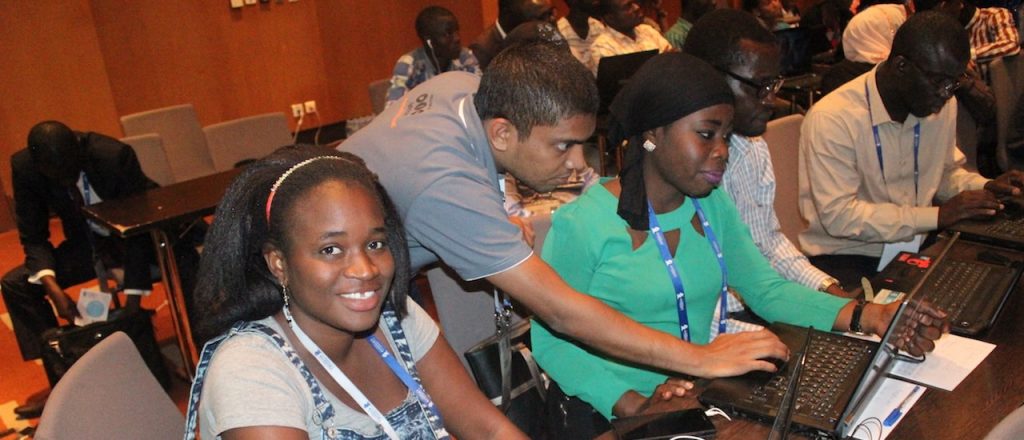
 The Australian company claims to be the first SD-WAN provider in the country, first launching...
 Qualcomm loses CFO to Intel; another senior exec leaves Ericsson; and an Oracle Cloud exec joins...

 The operator contributed the initial seed code for the 5G RAN Intelligent Controller, which was...