Cloud-Native: What Does It Mean for Infrastructure?
As enterprise cloud migration continues, IT infrastructure has to keep up. Here's how to ensure that your organization is up for the trip.
As enterprise cloud migration continues, IT infrastructure has to keep up. Here's how to ensure that your organization is up for the trip.
 At the annual Google Next conference the company launched an integrated portfolio of cloud services that combine open source projects with Google’s cloud infrastructure and security services.
A few years ago, I took an SE role covering Higher Education accounts. I quickly realized one of the deficits Cisco has in the CCNA program as it pertains to networks with a certain set of requirements. While the program is jam-packed with great information, there are a few concepts that an administrator may have to deal with that catch them by surprise. Three related topics that aren’t covered in CCNA Routing and Switching are shown below.
This article is meant to serve as a starting point for those who may be very strong with routing and switching but lack the exposure to VRFs, Layer 3 Segmentation, and MPLS. It is a good starting point for new employees that might face this challenge and it will certainly help them gain perspective on these topics.
It's no secret that Cloudflare operates at a huge scale. Cloudflare provides security and performance to over 9 million websites all around the world, from small businesses and WordPress blogs to Fortune 500 companies. That means one in every 10 web requests goes through our network.
However, hidden behind the scenes, we offer support in using our platform to all our customers - whether they're on our free plan or on our Enterprise offering. This blog post dives into some of the technology that helps make this possible and how we're using it to drive encryption and build a better web.
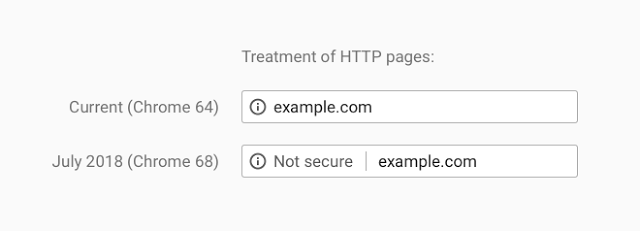
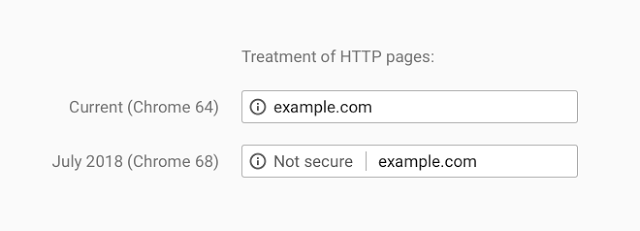
Recently web browser vendors have been working on extending encryption on the internet. Traditionally they would use positive indicators to mark encrypted traffic as secure; when traffic was served securely over HTTPS, a green padlock would indicate in your browser that this was the case. In moving to standardise encryption online, Google Chrome have been leading the charge in marking insecure page loads as "Not Secure". Today, this UI change has been pushed out to all Google Chrome users globally for all websites: any website loaded over HTTP will be marked as insecure.
That's not all though; Continue reading
This is the final article in the MPLS Intro Series and will quickly mention the need for route reflectors. This need is driven by the iBGP requirement for a full mesh of peers. This means that a network with only 4 PE nodes would have 6 iBGP peering sessions. This is calculated as n(n-1)/2 where n is the number of PE nodes required for a given topology.

As the scale grows, the need for a centralized peering point becomes obvious. For example, a network with 10 PE nodes would have 45 iBGP sessions to meet the full mesh requirement. Route reflectors overcome this rule by becoming a central point that can advertise routes between iBGP “route reflector clients”. The diagram below actually has more peering sessions than the one above (without RR). However, as a network continues to grow, the full mesh becomes quite challenging.

This is the extent of what I really wanted to cover in this introductory level article and this article concludes the MPLS Intro Series. If you want to learn more about VPNv4 and route reflectors, you can check out this video below.
LabMinutes# SP0015 – Cisco MPLS VPN with BGP Route Reflector (Part 1)
Disclaimer: Continue reading
 Adding Feger is the latest in a number of hires by F5 as it shifts its business model to prepare for 5G, IoT, and the cloud.
 Verizon will have four 5G markets launched in 2018. AT&T says it will have a dozen.
 The SNAPS-Kubernetes platform helps to deliver virtual network functions that use fewer resources, are more fault-tolerant, and can scale quickly to meet demand.
 OSCON 2018 did a great job of highlighting women and people of color in their programming.
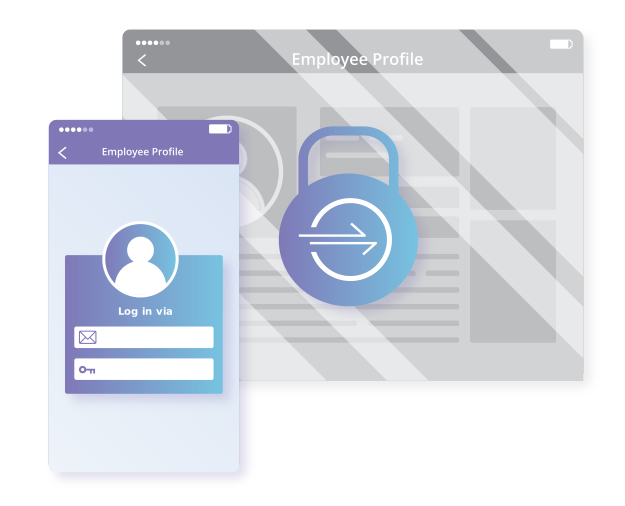
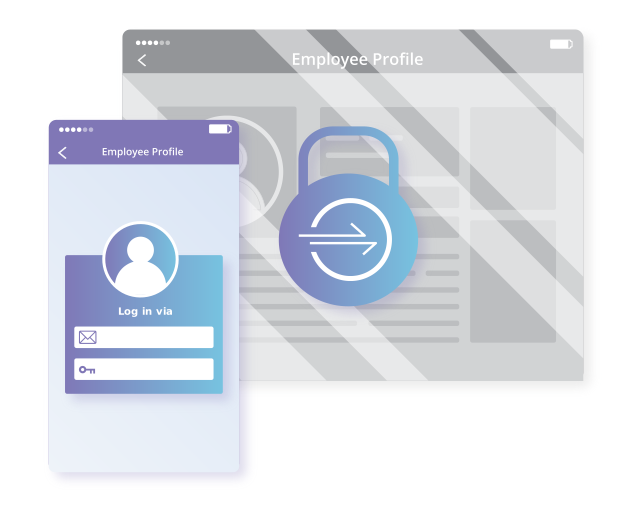
Using a VPN is painful. Logging-in interrupts your workflow. You have to remember a separate set of credentials, which your administrator has to manage. The VPN slows you down when you're away from the office. Beyond just inconvenience, a VPN can pose a real security risk. A single infected device or malicious user can compromise your network once inside the perimeter.
In response, large enterprises have deployed expensive zero trust solutions. The name sounds counterintuitive - don’t we want to add trust to our network security? Zero trust refers to the default state of these tools. They trust no one; each request has to prove that itself. This architecture, most notably demonstrated at Google with Beyondcorp, has allowed teams to start to migrate to a more secure method of access control.
However, users of zero trust tools still suffer from the same latency problems they endured with old-school VPNs. Even worse, the price tag puts these tools out of reach for most teams.
Here at Cloudflare, we shared those same frustrations with VPNs. After evaluating our options, we realized we could build a better zero trust solution by leveraging some of the unique capabilities we have here at Cloudflare:
As the underdog in cloud computing, Google has to take a slightly different tack from industry pioneer and juggernaut Amazon Web Services, which simply believes that all applications should, in the fullness of time, move to the public cloud. …
Google Takes On Public Cloud Rivals With Private Kubernetes Service was written by Timothy Prickett Morgan at .
 Gigamon will combine its network traffic visibility capabilities with Icebrg’s security platform and allow SOC teams to deploy new security technologies as “security applications” on top of it.

Docker Windows Containers with Docker Enterprise
A huge number of companies are still running apps on Windows Server 2003 and 2008 in the data center. They want to move to a modern, secure, supported platform which gives them the flexibility to run in the data center today – and in any cloud tomorrow. Docker gives them that flexibility, and you can move your apps to Docker without changing any code.
That was the focus of our recent webinar, where we showed several apps currently running on Windows Server 2003, and packaged them to run as Docker Windows containers. We showed all the steps to migrate the apps with no code changes, and then we ran them in Docker Enterprise on a Windows Server 2016 VM running in Azure.
You can watch the full video of the webinar here – it comes in at just over 60 minutes:
In the webinar, you see the portability that Docker Enterprise gives you. The applications we move are a mixture of older web technologies – static HTML, classic ASP and ASP.NET WebForms. The apps from the demo and the Dockerfiles are on GitHub here. They could be 15-year old apps and you Continue reading

The following is a guest post by Troy Hunt, awarded Security expert, blogger, and Pluralsight author. He’s also the creator of the popular Have I been pwned?, the free aggregation service that helps the owners of over 5 billion accounts impacted by data breaches.
I still clearly remember my first foray onto the internet as a university student back in the mid 90's. It was a simpler online time back then, of course; we weren't doing our personal banking or our tax returns or handling our medical records so the whole premise of encrypting the transport layer wasn't exactly a high priority. In time, those services came along and so did the need to have some assurances about the confidentiality of the material we were sending around over other people's networks and computers. SSL as it was at the time was costly, but hey, banks and the like could absorb that given the nature of their businesses. However, at the time, there were all sorts of problems with the premise of serving traffic securely ranging from the cost of certs to the effort involved in obtaining and configuring them through to the performance hit on the Continue reading