ZeroStack Adds Machine Learning to Its ‘Hands-Off’ Cloud
 Another step toward automating the private cloud.
Another step toward automating the private cloud.

Cloudflare has covered DDoS ransom groups several times in the past. First, we reported on the copycat group claiming to be the Armada Collective and then not too long afterwards, we covered the "new" Lizard Squad. While in both cases the groups made threats that were ultimately empty, these types of security events can send teams scrambling to determine the correct response. Teams in this situation can choose from three types of responses: pay the ransom and enable these groups to continue their operations, not pay and hope for the best, or prepare an action plan to get protected.
We can’t stress enough that you should never pay the ransom. We fully understand that in the moment when your website is being attacked it might seem like a reasonable solution, but by paying the ransom, you only perpetuate the DDoS ransom group’s activities and entice other would be ransomers to start making similar threats. In fact, we have seen reports of victim organizations receiving multiple subsequent threats after they have paid the ransom. It would seem these groups are sharing lists of organizations that pay, and those organizations are more likely to be targeted again in Continue reading
The post Worth Reading: The right to an explanation appeared first on 'net work.
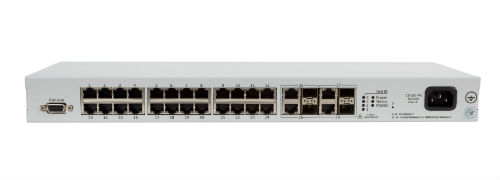
One of the many interesting conversations to come out of my recent trip to Network Field Day 14 (NFD14) hosted by Gestalt IT was a discussion on the future of whitebox. As someone who co-founded a firm that consults on whitebox and open networking, it was a topic that really captivated me and generated a flurry of ideas on the subject. This will be the first in a series of posts about my experiences and thoughts on NFD14.
Whitebox is a critical movement in the network industry that is reshaping the landscape of what equipment and software we use to build networks. At the dawn of the age of IT in the late 80s and early 90’s, we used computing hardware and software that was proprietary – a great example would be an IBM mainframe.
Then we evolved into the world of x86 and along came a number of operating systems that we could choose from to customize the delivery of applications and services. Hardware became a commodity and software became independent of the hardware manufacturer.

One of the many interesting conversations to come out of my recent trip to Network Field Day 14 (NFD14) hosted by Gestalt IT was a discussion on the future of whitebox. As someone who co-founded a firm that consults on whitebox and open networking, it was a topic that really captivated me and generated a flurry of ideas on the subject. This will be the first in a series of posts about my experiences and thoughts on NFD14.
Whitebox is a critical movement in the network industry that is reshaping the landscape of what equipment and software we use to build networks. At the dawn of the age of IT in the late 80s and early 90’s, we used computing hardware and software that was proprietary – a great example would be an IBM mainframe.
Then we evolved into the world of x86 and along came a number of operating systems that we could choose from to customize the delivery of applications and services. Hardware became a commodity and software became independent of the hardware manufacturer.
Your first line of defense to any DDoS, at least on the network side, should be to disperse the traffic across as many resources as you can. Basic math implies that if you have fifteen entry points, and each entry point is capable of supporting 10g of traffic, then you should be able to simply absorb a 100g DDoS attack while still leaving 50g of overhead for real traffic (assuming perfect efficiency, of course—YMMV). Dispersing a DDoS in this way may impact performance—but taking bandwidth and resources down is almost always the wrong way to react to a DDoS attack.
 But what if you cannot, for some reason, disperse the attack? Maybe you only have two edge connections, or if the size of the DDoS is larger than your total edge bandwidth combined? It is typically difficult to mitigate a DDoS attack, but there is an escalating chain of actions you can take that often prove useful. Let’s deal with local mitigation techniques first, and then consider some fancier methods.
 It can be deployed wherever customers have server infrastructure.
 The companies plan to eventually expand the offering into global markets.