Lifetime ipSpace.net Subscription
More than thirteen years after I started creating vendor-neutral webinars, it’s time for another change1: the ipSpace.net subscriptions became perpetual. If you have an active ipSpace.net subscription, it will stay valid indefinitely2 (and I’ll stop nagging you with renewal notices).
Wow, Free Lunch?
Sadly, that’s not the case.
Lifetime ipSpace.net Subscription
More than thirteen years after I started creating vendor-neutral webinars, it’s time for another change1: the ipSpace.net subscriptions became perpetual. If you have an active ipSpace.net subscription, it will stay valid indefinitely2 (and I’ll stop nagging you with renewal notices).
Wow, Free Lunch?
Sadly, that’s not the case.
The Rural Broadband Security Gap, Challenges in Addressing It
Addressing rural broadband security gaps is a top provider priority as consumer and business subscribers have much higher expectations for speed, availability, and security.Cloudflare Radar’s 2023 overview of new tools and insights


Cloudflare Radar was launched in September 2020, almost three years ago, when the pandemic was affecting Internet traffic usage. It is a free tool to show Internet usage patterns from both human and automated systems, as well as attack trends, top domains, and adoption and usage of browsers and protocols. As Cloudflare has been publishing data-driven insights related to the general Internet for more than 10 years now, Cloudflare Radar is a natural evolution.
This year, we have introduced several new features to Radar, also available through our public API, that enables deeper data exploration. We’ve also launched an Internet Quality section, a Trending Domains section, a URL Scanner tool, and a Routing section to track network interconnection, routing security, and observed routing anomalies.
In this reading list, we want to highlight some of those new additions, as well as some of the Internet disruptions and trends we’ve observed and published posts about during this year, including the war in Ukraine, the impact of Easter, and exam-related shutdowns in Iraq and Algeria.
We also encourage everyone to explore Cloudflare Radar and its new features, and to give you a partial review of the year, in terms of Internet Continue reading
Dreambooth in Stable Diffusion Web UI
In this tutorial, I will show you how to use DreamBooth to finetune pre-trained open-source […]
The post Dreambooth in Stable Diffusion Web UI first appeared on Brezular's Blog.
OSPF and ARP on Unnumbered IPv4 Interfaces
After figuring out ARP details, describing how routers use ARP to resolve entries in the IP routing table, and considering what we already know about OSPF on unnumbered IPv4 interfaces, we’re finally ready to answer Daniel’s question:
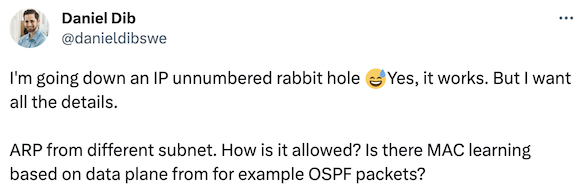
OSPF and ARP on Unnumbered IPv4 Interfaces
After figuring out ARP details, describing how routers use ARP to resolve entries in the IP routing table, and considering what we already know about OSPF on unnumbered IPv4 interfaces, we’re finally ready to answer Daniel’s question:
About
Author
An open source contributor ( https://github.com/kashif-nawaz?tab=repositories) with 14+ years experience with expertise in diverse domains i.e IP/ MPLS Backbone networks , Data Center (IP-Fabric , EVPN-VxLAN, Server/ Chassis Network design), NFVI, Telco and Edge Cloud (Openstack, K8s and Openshift). Author of the book titled “Designing and Deploying Carrier-Grade, Cloud-Native Infrastructure for Telco and Edge Cloud” (https://www.juniper.net/documentation/en_US/day-one-books/DayOne-Designing-Deploying-Carrier-Grade-Cloud-Native-Infrastructure.pdf)

Kashif Nawaz
(JNICE-SP & Sec, Redhat Certified Engineer, Certified Kubernetes Administrator, Redhat Openshift Administrator )
Day Two Cloud 208: HashiCorp Licensing Changes And The Day Two Cloud-Chaos Lever Crossover
Today on Day Two Cloud we dive into the implications of licensing changes that HashiCorp has made to its popular Terraform software. In short, the company has switched from an open source to a business source license. HashiCorp says it felt compelled to make the change to ensure that some other business entity doesn't take the open-source software and turn it into a competing product (looking at you, AWS). Will the licensing change have a significant impact? For 99% of users probably not, but there are caveats and concerns to discuss. Today's show is a crossover with Chaos Lever, a weekly podcast co-hosted by Ned Bellavance and Chris Hayner that covers IT news.
The post Day Two Cloud 208: HashiCorp Licensing Changes And The Day Two Cloud-Chaos Lever Crossover appeared first on Packet Pushers.
Day Two Cloud 208: HashiCorp Licensing Changes And The Day Two Cloud-Chaos Lever Crossover
Today on Day Two Cloud we dive into the implications of licensing changes that HashiCorp has made to its popular Terraform software. In short, the company has switched from an open source to a business source license. HashiCorp says it felt compelled to make the change to ensure that some other business entity doesn't take the open-source software and turn it into a competing product (looking at you, AWS). Will the licensing change have a significant impact? For 99% of users probably not, but there are caveats and concerns to discuss. Today's show is a crossover with Chaos Lever, a weekly podcast co-hosted by Ned Bellavance and Chris Hayner that covers IT news.ARP and Static Routes
A few days ago, I described how ARP behaves when the source- and destination IP addresses are not on the same subnet (TL&DR: it doesn’t care). Now, let’s see how routers use ARP to get the destination MAC address for various entries in the IP routing table. To keep things simple, we’ll use static routes to insert entries in the IP routing table.
We’ll run our tests in a small virtual lab with two Linux hosts and an Arista vEOS switch. The link between H1 and RTR is a regular subnet. H2 has an IP address on the Ethernet interface, but RTR uses an unnumbered interface.
ARP and Static Routes
A few days ago, I described how ARP behaves when the source- and destination IP addresses are not on the same subnet (TL&DR: it doesn’t care). Now, let’s see how routers use ARP to get the destination MAC address for various entries in the IP routing table. To keep things simple, we’ll use static routes to insert entries in the IP routing table.
We’ll run our tests in a small virtual lab with two Linux hosts and an Arista vEOS switch. The link between H1 and RTR is a regular subnet. H2 has an IP address on the Ethernet interface, but RTR uses an unnumbered interface.