Public Videos: Enterprise MPLS/VPN

Over a decade ago, I created a webinar describing enterprise MPLS/VPN use cases. Surprisingly, some networking engineers still find it useful in the wonderful new world of SD-WAN duct tape, and starting today, you can access it without an ipSpace.net account.
Nvidia Datacenter Revenues Still Booming, “Blackwell” Platforms On Track
We have said it before, and we will say it again as everyone is chewing on the financial results that Nvidia just turned in for its third quarter of fiscal 2025 ended in October. …
Nvidia Datacenter Revenues Still Booming, “Blackwell” Platforms On Track was written by Timothy Prickett Morgan at The Next Platform.
Bigger and badder: how DDoS attack sizes have evolved over the last decade
Distributed Denial of Service (DDoS) attacks are cyberattacks that aim to overwhelm and disrupt online services, making them inaccessible to users. By leveraging a network of distributed devices, DDoS attacks flood the target system with excessive requests, consuming its bandwidth or exhausting compute resources to the point of failure. These attacks can be highly effective against unprotected sites and relatively inexpensive for attackers to launch. Despite being one of the oldest types of attacks, DDoS attacks remain a constant threat, often targeting well-known or high traffic websites, services, or critical infrastructure. Cloudflare has mitigated over 14.5 million DDoS attacks since the start of 2024 — an average of 2,200 DDoS attacks per hour. (Our DDoS Threat Report for Q3 2024 contains additional related statistics).
If we look at the metrics associated with large attacks mitigated in the last 10 years, does the graph show a steady increase in an exponential curve that keeps getting steeper, especially over the last few years, or is it closer to linear growth? We found that the growth is not linear, but rather is exponential, with the slope dependent on the metric we are looking at.
Why is this question interesting? Simple. The answer Continue reading
Resilient Internet connectivity in Europe mitigates impact from multiple cable cuts
When cable cuts occur, whether submarine or terrestrial, they often result in observable disruptions to Internet connectivity, knocking a network, city, or country offline. This is especially true when there is insufficient resilience or alternative paths — that is, when a cable is effectively a single point of failure. Associated observations of traffic loss resulting from these disruptions are frequently covered by Cloudflare Radar in social media and blog posts. However, two recent cable cuts that occurred in the Baltic Sea resulted in little-to-no observable impact to the affected countries, as we discuss below, in large part because of the significant redundancy and resilience of Internet infrastructure in Europe.
On Sunday, November 17 2024, the BCS East-West Interlink submarine cable connecting Sventoji, Lithuania and Katthammarsvik, Sweden was reportedly damaged around 10:00 local (Lithuania) time (08:00 UTC). A Data Center Dynamics article about the cable cut quotes the CTO of Telia Lietuva, the telecommunications provider that operates the cable, and notes “The Lithuanian cable carried about a third of the nation's Internet capacity, but capacity was carried via other routes.”
As the Cloudflare Radar graphs below show, there was no apparent impact to Continue reading
SC24 Real-time RoCEv2 traffic visibility


NAN079: From Network Monitoring to Observability: Make the Leap for Better NetOps
Traditional network monitoring was built around SNMP and logs. And while there’s still a role for these sources, network observability aims to incorporate more data to help you build a holistic picture of the network and its behavior and performance. These sources can include flows, streaming telemetry, APIs, NETCONF, the CLI, deep packet inspection, synthetic... Read more »TACACS+ on ISE Deep Dive
In this post we’ll add a Network Authentication Device (NAD) to ISE to perform TACACS+ authentication and authorization. We’ll also do a deep dive on AAA commands on the NAD. First let’s start with the overall goal of the lab and an overview of how TACACS+ works.
The goal of the lab is to have two users, Bob and Alice, where Bob works in the NOC and Alice is a network admin. Based on the AD group they belong to, they should get different permissions when administrating devices. Alice will be able to use all commands, while Bob will only be able to use basic commands. This is shown below:
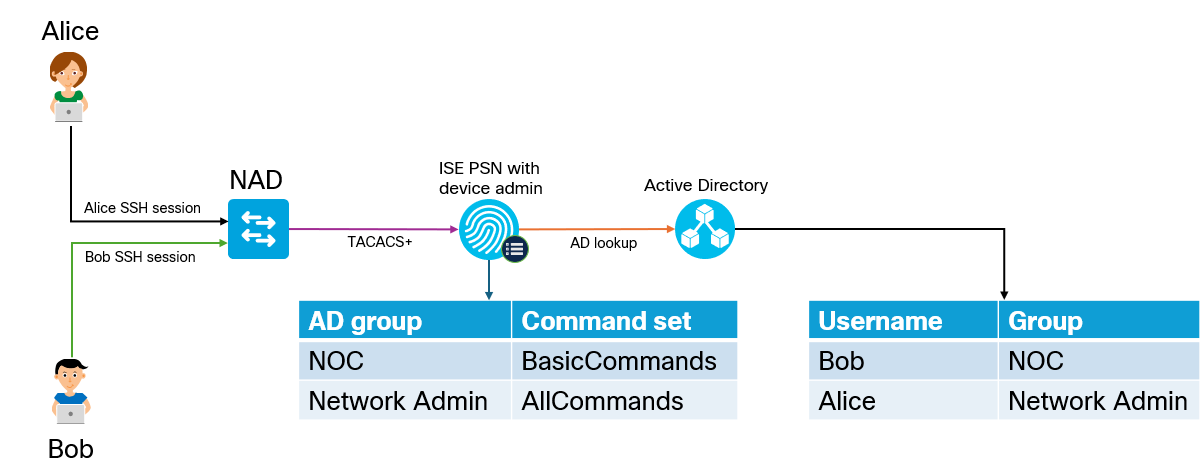
Why would we use TACACS+ over RADIUS? The main reason is that it gives us per command authorization and accounting. The overall flow of TACACS+ is shown below:
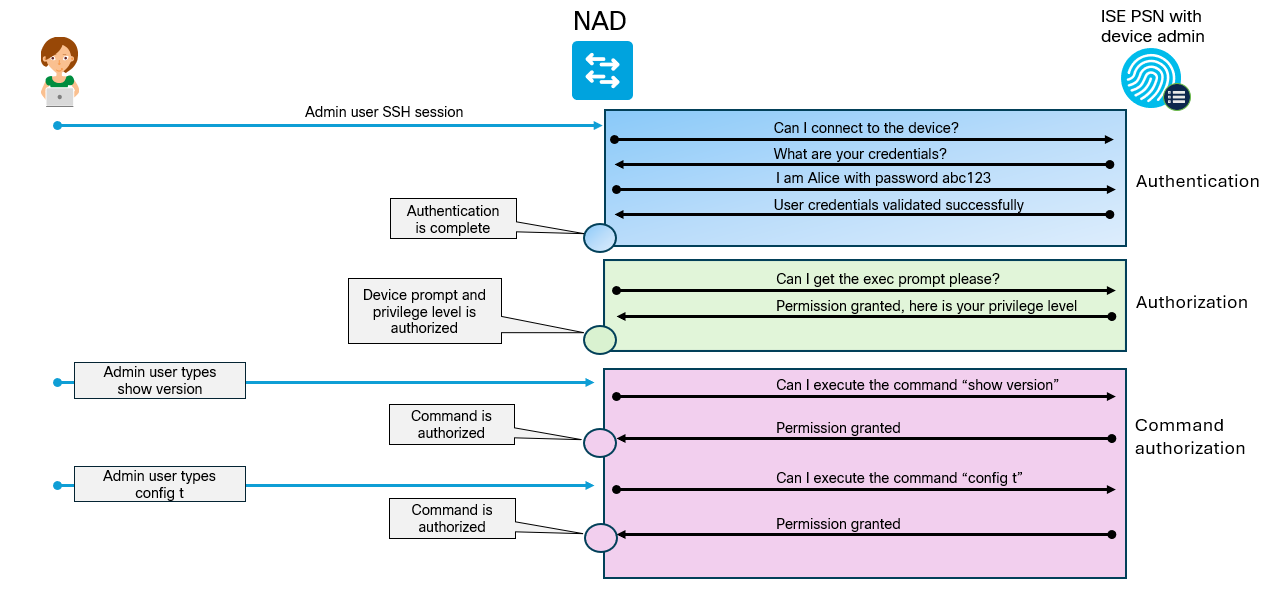
Enabling TACACS+
To get things started, we must first enable TACACS+ on the PSN. Go to Administration -> Deployment located under System:
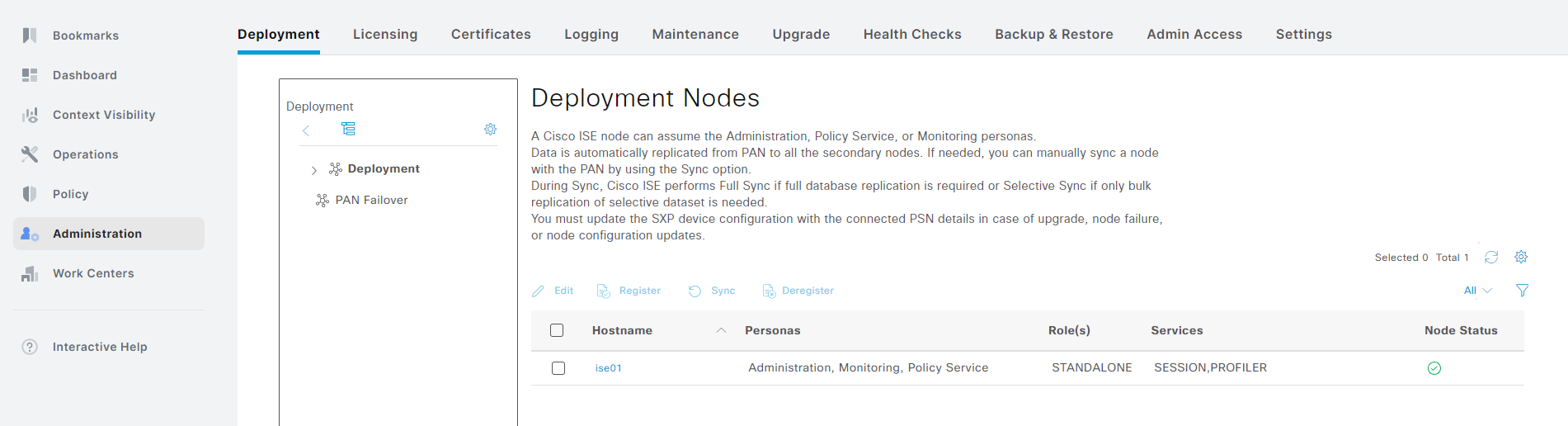
Click the > symbol next to Deployment and select your PSN that you want to enable TACACS+ on:
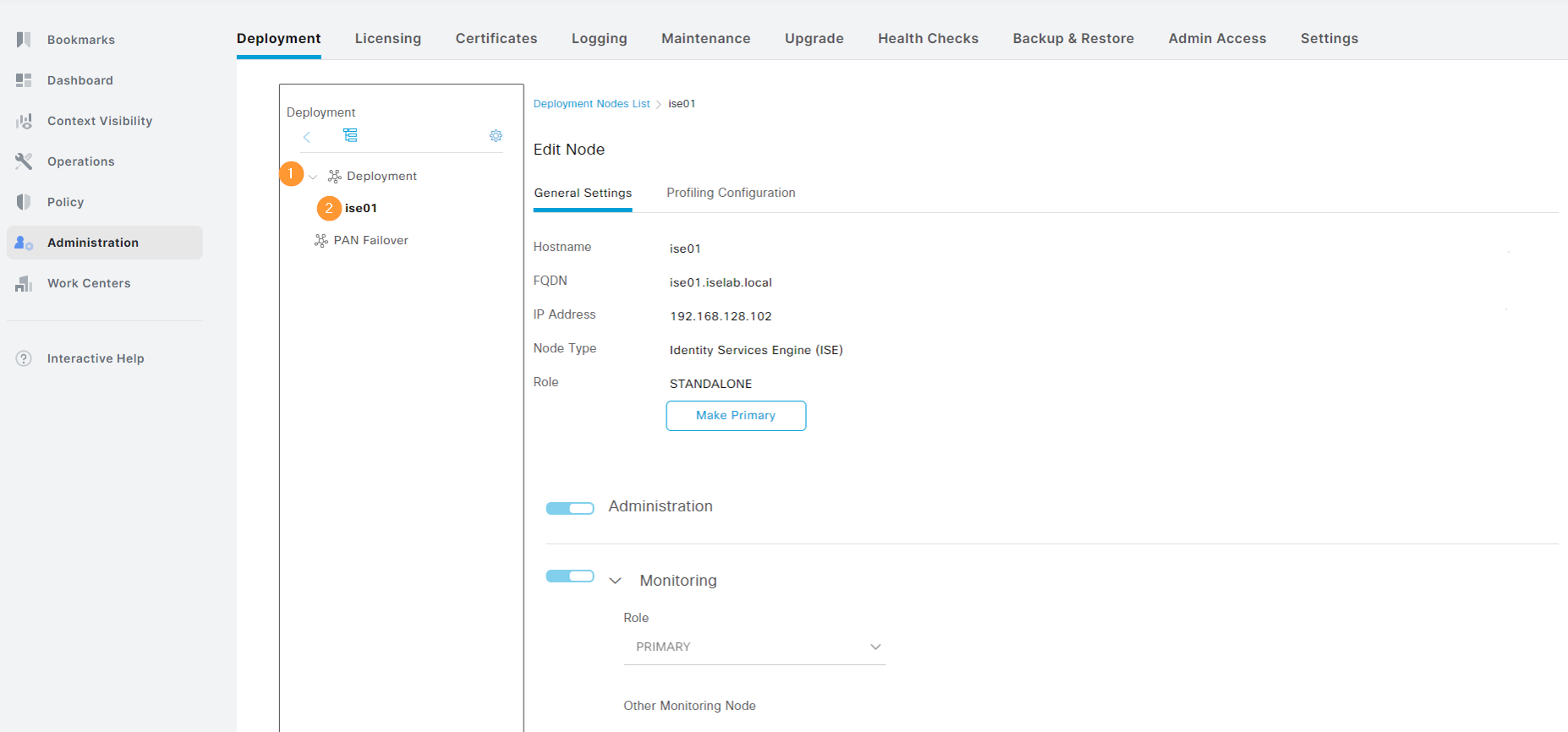
Scroll down to the Policy Service part. Notice that Device Admin is currently not enabled:
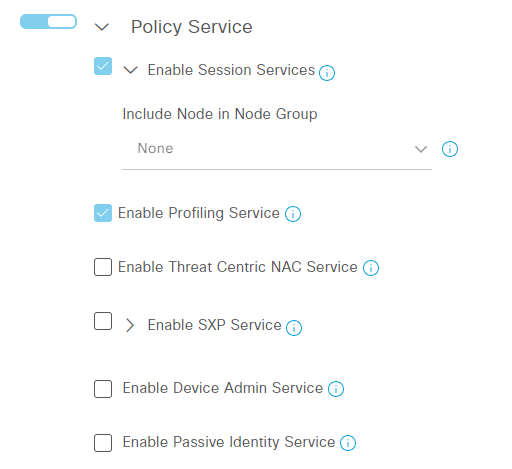
Select Enable Device Admin Service. You Continue reading
Backup and Restore of ISE Lab Server
The ISE evaluation license gives you 90 days of full access and after that you won’t be able to make any changes. Currently, my server has 28 days remaining:

As I intend to keep labbing, I’m going to perform a backup and restore where I’ll restore the configuration on another VM that I’ll be installing. Note that this can be automated, but in this post we’re going to focus on the process of doing it manually to understand what steps are involved.
The steps that will be performed are:
- Setup a SFTP repository to use for backups.
- Take a configuration backup of existing node.
- Take an operational backup of existing node.
- Export trusted- and system certificates of existing node.
- Install a new VM.
- Restore the configuration from the configuration backup.
The configuration backup will give us everything we need to restore all the system settings and policies. The operational backup gives us data such as logs. While the configuration backup includes the trusted- and system certificates, it’s good to also export them separately in case you need to perform a restore using another method.
The first thing I’m going to do is to install SFTP on my Windows server using Continue reading
DO it again: how we used Durable Objects to add WebSockets support and authentication to AI Gateway
In October 2024, we talked about storing billions of logs from your AI application using AI Gateway, and how we used Cloudflare’s Developer Platform to do this.
With AI Gateway already processing over 3 billion logs and experiencing rapid growth, the number of connections to the platform continues to increase steadily. To help developers manage this scale more effectively, we wanted to offer an alternative to implementing HTTP/2 keep-alive to maintain persistent HTTP(S) connections, thereby avoiding the overhead of repeated handshakes and TLS negotiations with each new HTTP connection to AI Gateway. We understand that implementing HTTP/2 can present challenges, particularly when many libraries and tools may not support it by default and most modern programming languages have well-established WebSocket libraries available.
With this in mind, we used Cloudflare’s Developer Platform and Durable Objects (yes, again!) to build a WebSockets API that establishes a single, persistent connection, enabling continuous communication.
Through this API, all AI providers supported by AI Gateway can be accessed via WebSocket, allowing you to maintain a single TCP connection between your client or server application and the AI Gateway. The best part? Even if your chosen provider doesn’t support WebSockets, we handle it Continue reading
HPC Market Bigger Than Expected, And Growing Faster
As far as we have been concerned since founding The Next Platform literally a decade ago this week, AI training and inference in the datacenter are a kind of HPC. …
HPC Market Bigger Than Expected, And Growing Faster was written by Timothy Prickett Morgan at The Next Platform.
HS089: Return to the Office: What’s Next?
Some high-profile companies like Amazon are mandating all employees return to the office, full time. Justifications, when given, mostly revolve around productivity and innovation. We say, whoa there! The data don’t back up the idea that hybrid and remote work hurt productivity (kind of the opposite) or innovation, and the real justifications likely lie elsewhere.... Read more »
PP040: Personal Privacy Tools
Surveillance is a fact of life with modern technology, be it corporate data harvesting or government snooping. If you’re thinking about personal privacy, today’s episode covers common tools for communication and Web browsing. We dig into the end-to-end encryption capabilities of the messaging tools Signal and WhatsApp, look at the capabilities and limits of the... Read more »SC24 SCinet traffic

The real-time dashboard shows total network traffic at The International Conference for High Performance Computing, Networking, Storage, and Analysis (SC24) conference being held this week in Atlanta. The dashboard shows that 31 Petabytes of data have been transferred already and the conference has just started.

The conference network used in the demonstration, SCinet, is described as the most powerful and advanced network on Earth, connecting the SC community to the world.

Finally, check out the SC24 Dropped packet visibility demonstration to learn about one of newest developments in sFlow monitoring and see a live demonstration.
Cisco ISE – Admin GUI Account Locked After 45 Days
This is a quick post to describe the default behavior of the admin user GUI access in ISE, which gets locked after 45 days, if you haven’t changed the password. You’ll get something like this in the GUI:
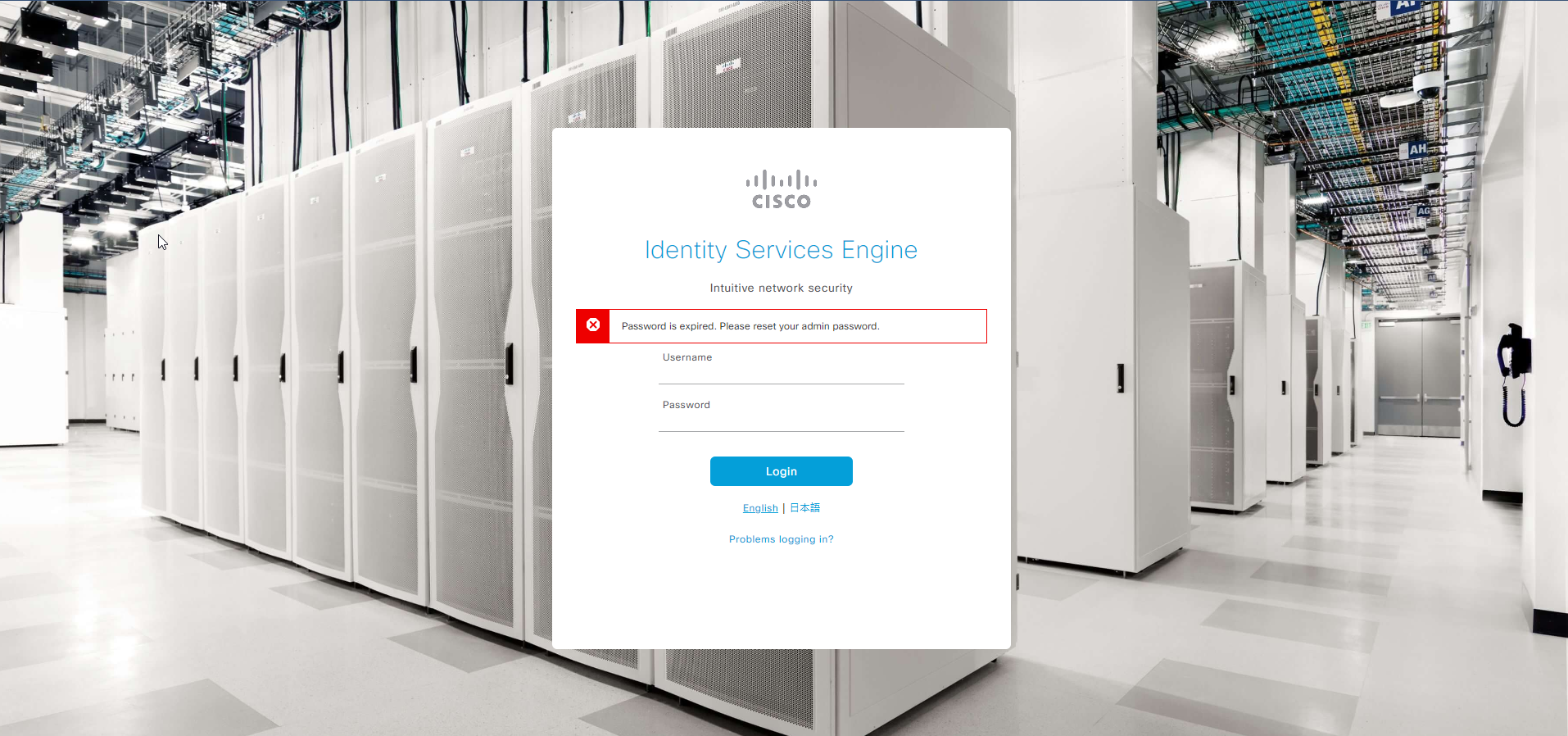
While GUI access is prevented, you can still login via SSH and that’s how you’re going to recover the account. SSH to ISE using the admin account. Then issue the following command:
ise01/admin#application reset-passwd ise admin
Enter new password:
Confirm new password:

Password reset successfully.
If you want to change the password policy, go to Administration -> Admin Access under System and click Password Policy:
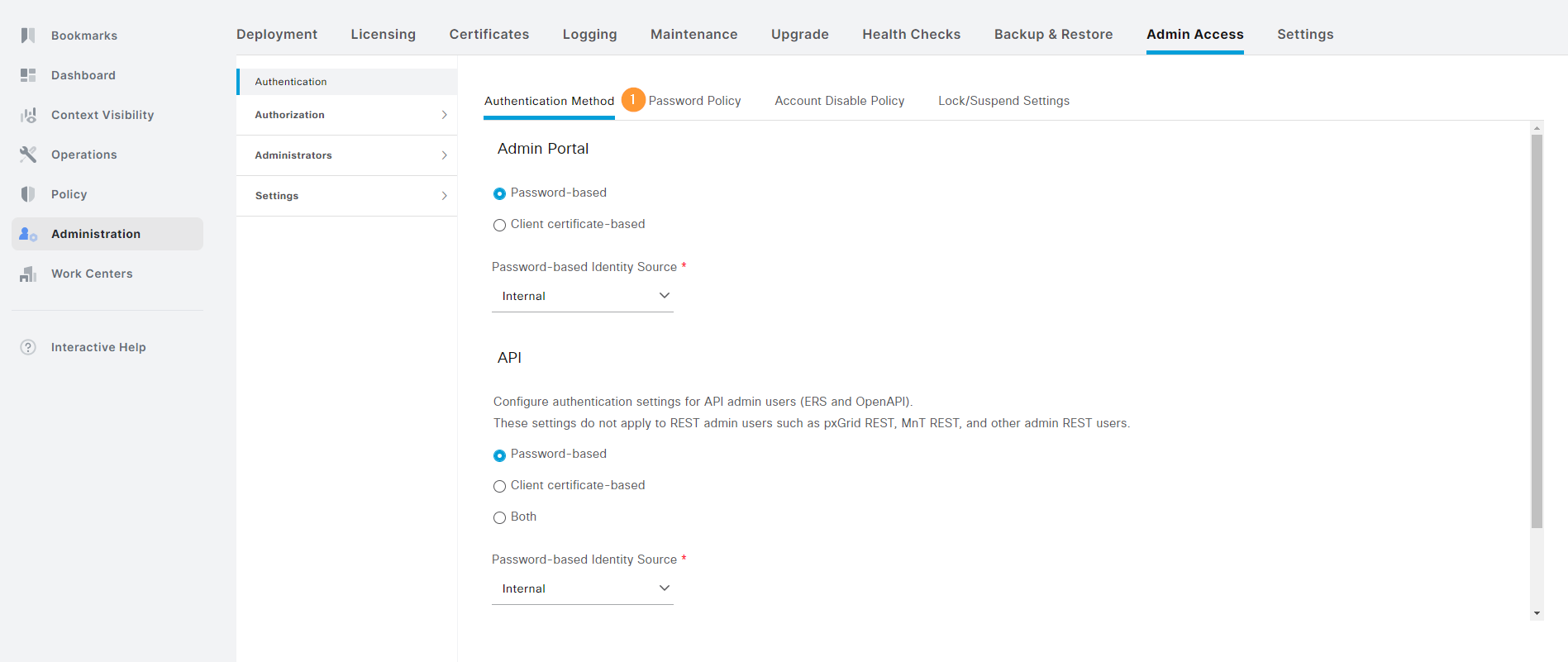
Notice the checkbox that says that the account expires after 45 days:
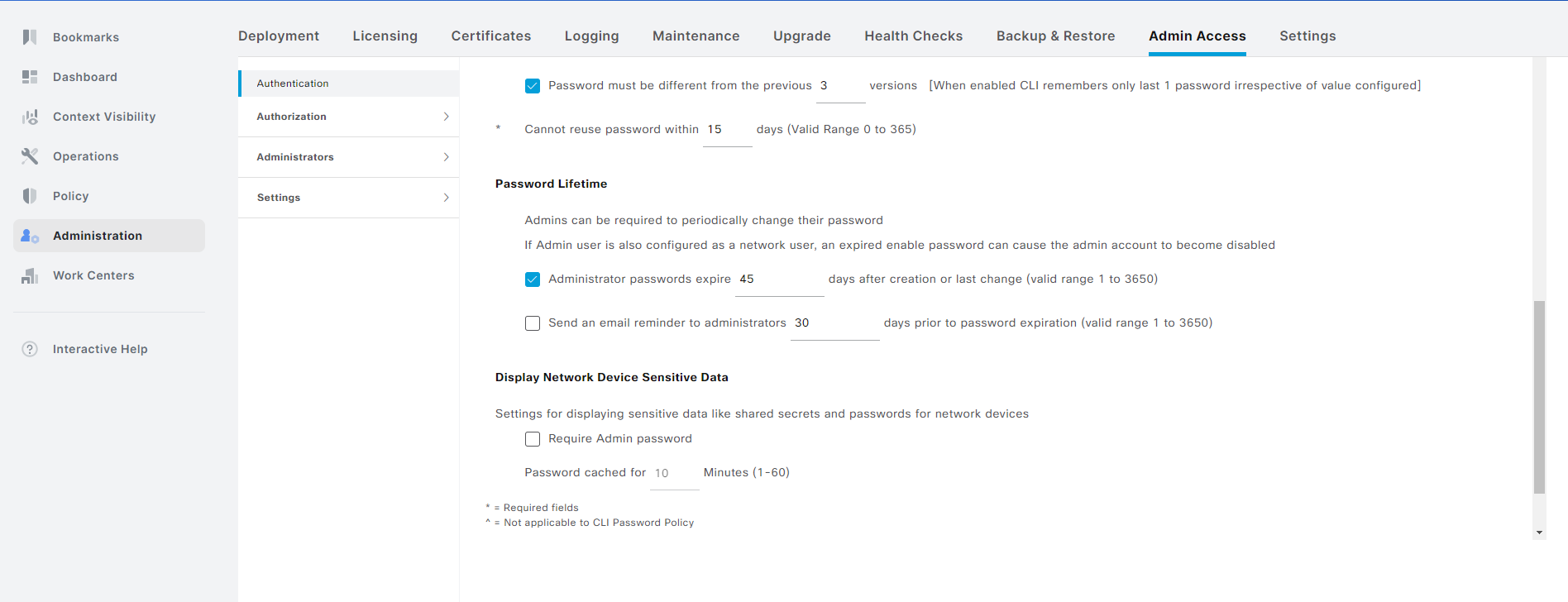
Uncheck this box if you don’t want to have the account expire:
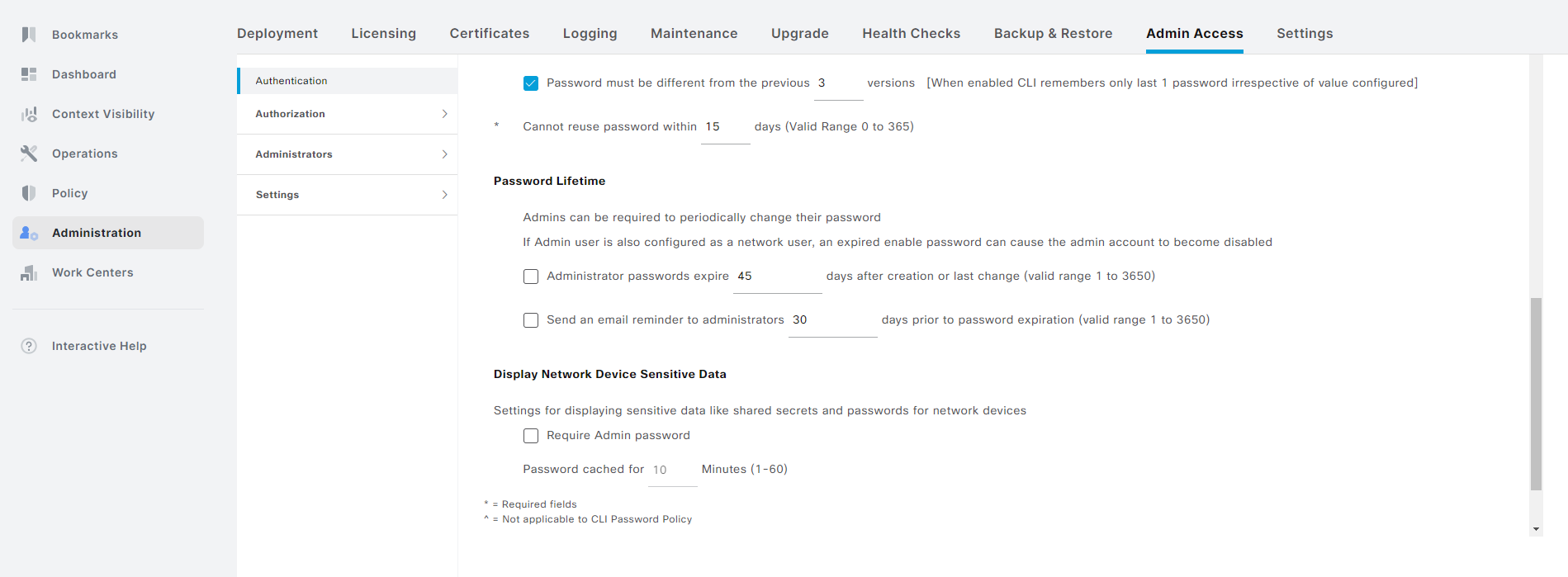
Don’t forget to click Save. That’s it! That’s how you recover the account and prevent it from happening again. Note that this is for a private lab. You should adhere to any policies you have on password rotation in your organization.
Domain Joining a Windows Computer
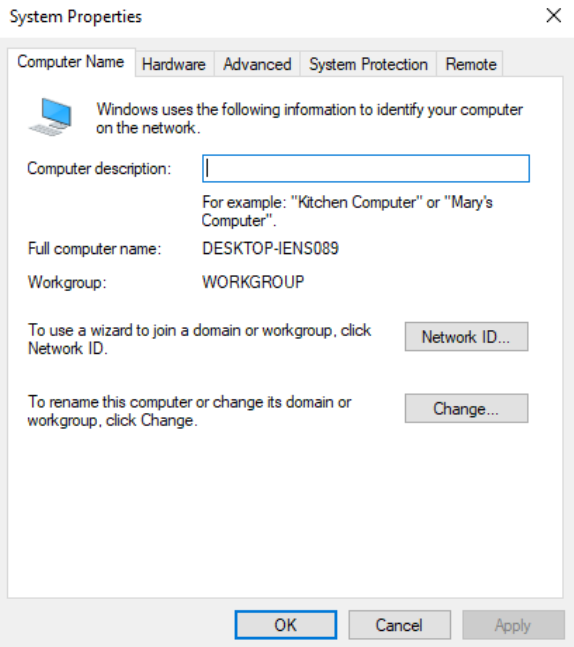
In this post we’ll domain join a Windows 10 VM to test the GPOs that were created in a previous post. First, let’s verify that the computer is not joined to a domain:
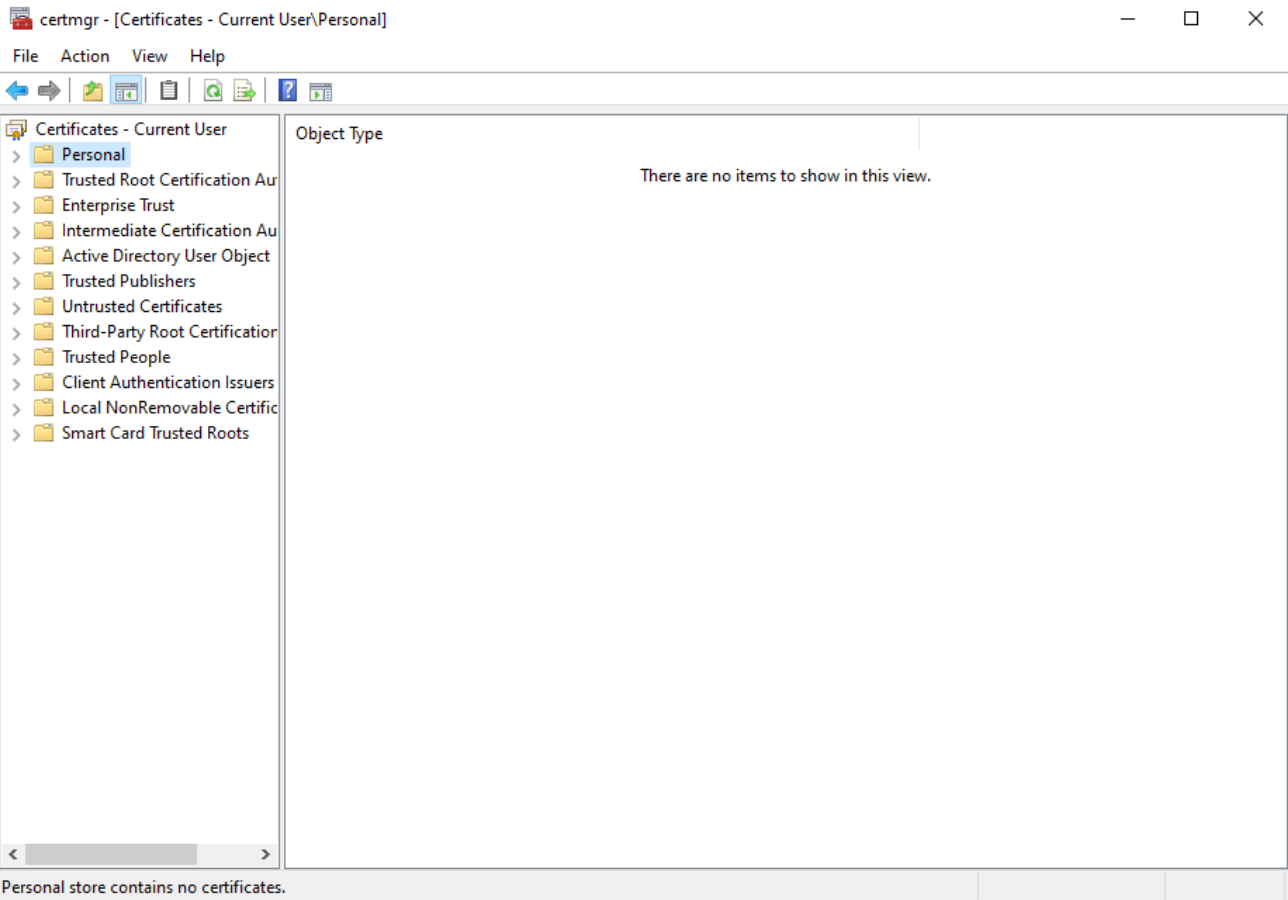
There is currently no user certificate:
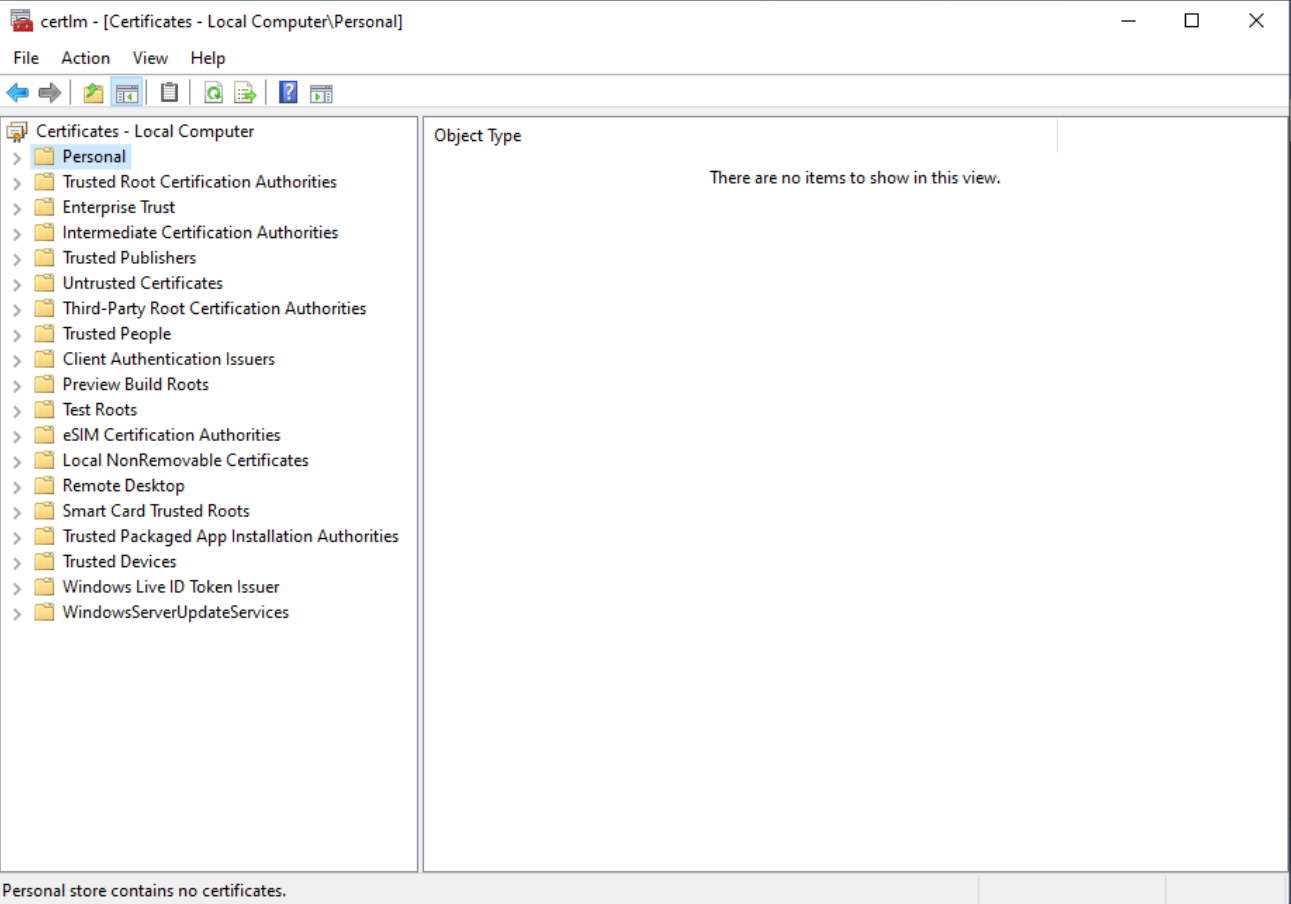
There is also no computer certificate:
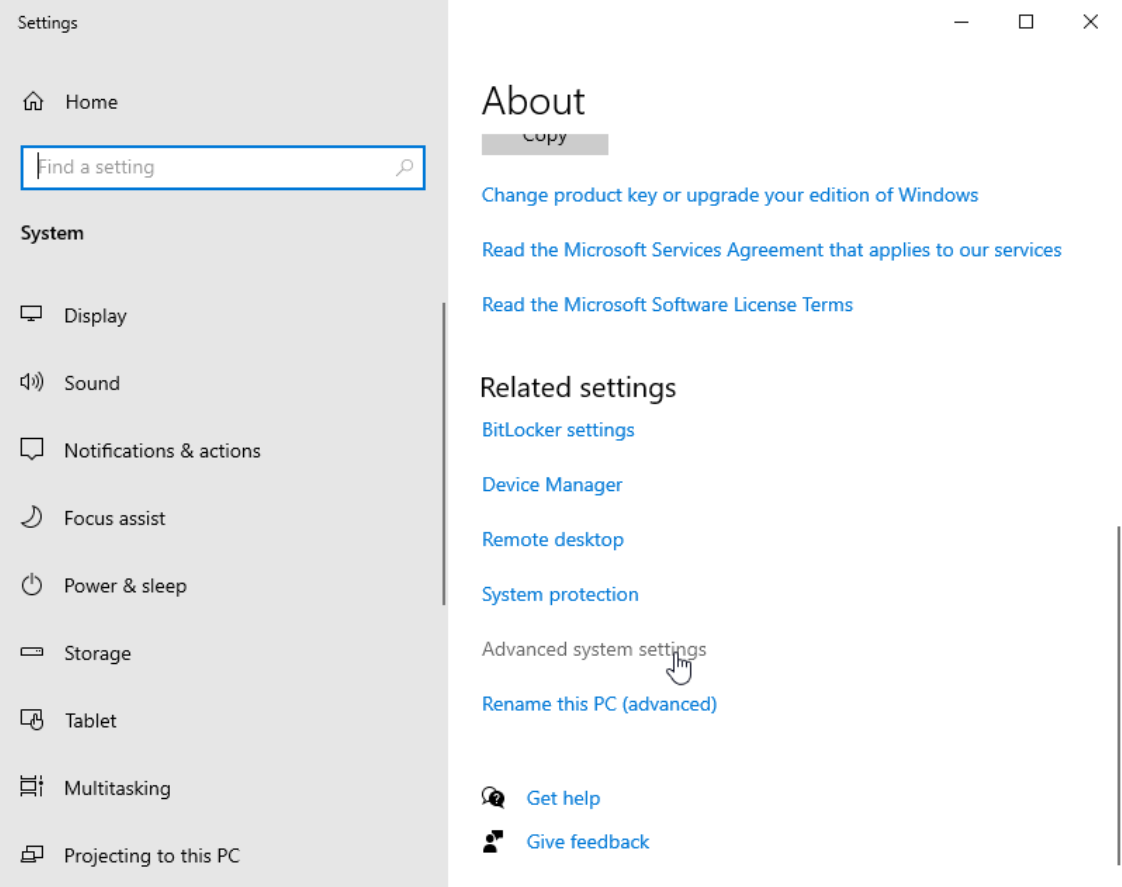
To domain join the computer, we’ll go to Control Panel -> System and Security -> System and the click Advanced system settings:
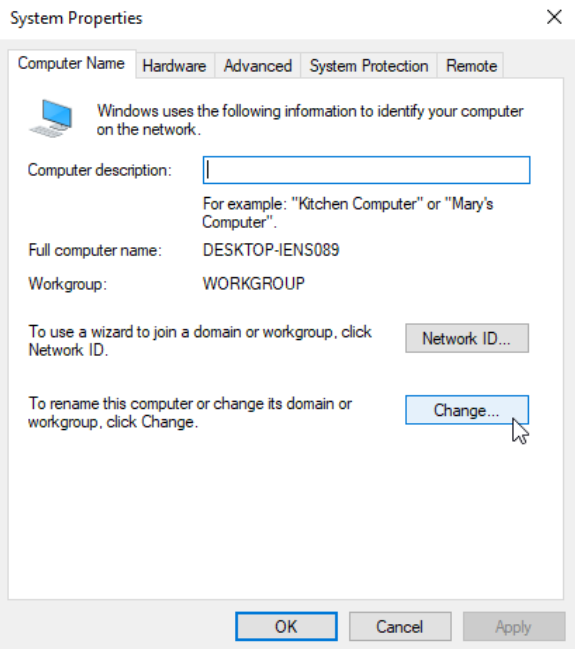
Go to Computer Name and click Change…:
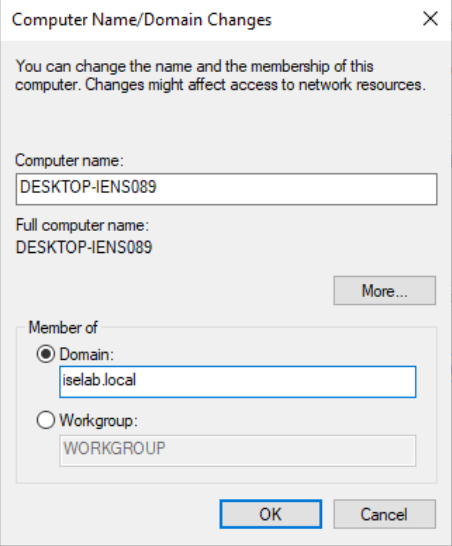
Select Member of Domain and enter the domain name (iselab.local in my lab):
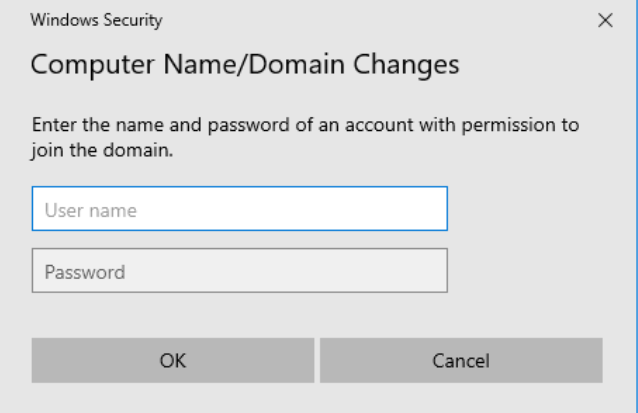
Click OK. You’ll then be prompted for credentials with permission to join the domain:
The computer has been joined to the domain:
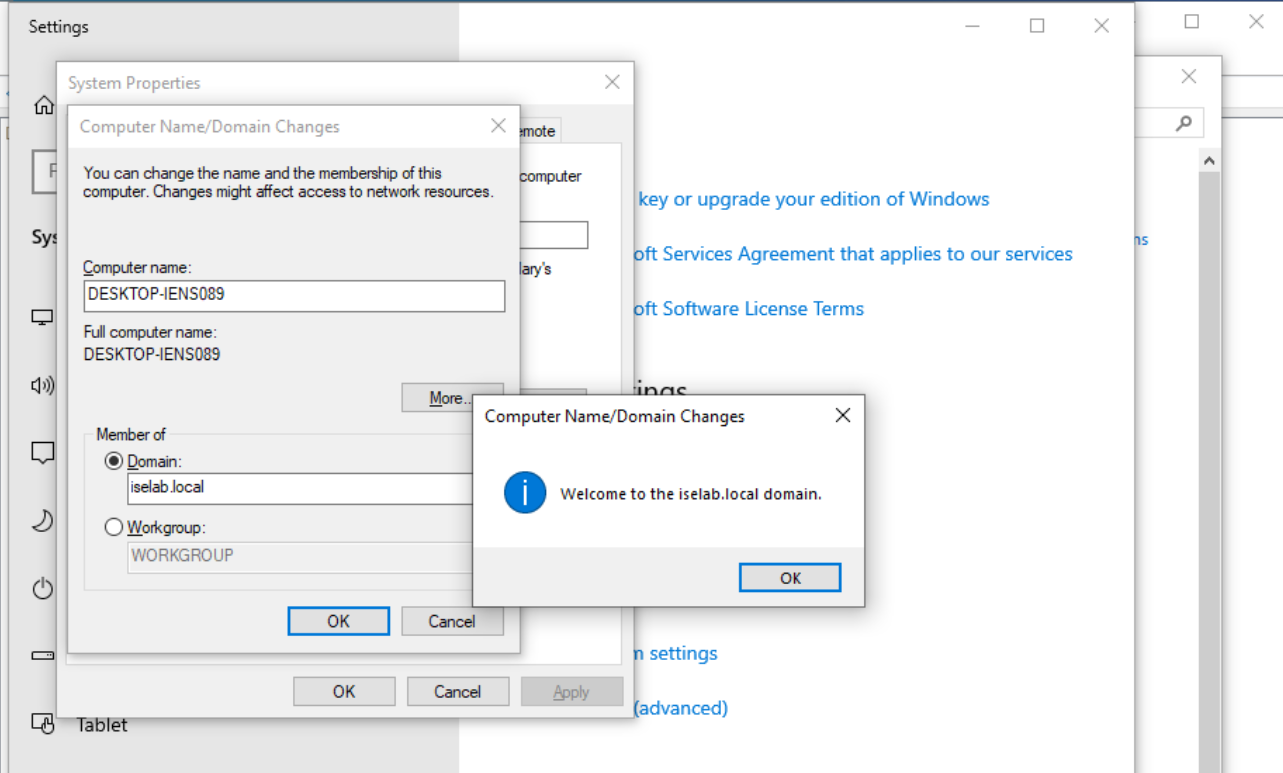
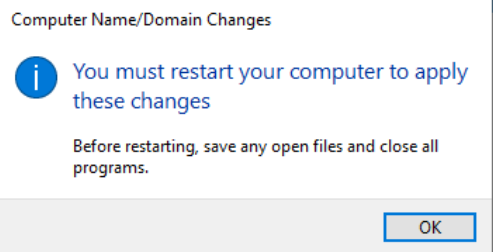
The computer will have to be restarted as part of joining the domain:
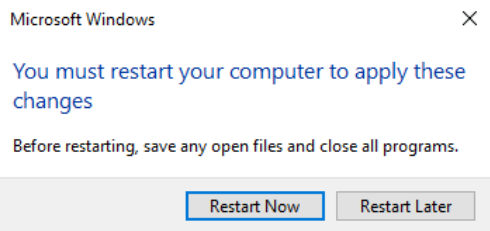
Select Restart Now to restart:
It will take some time…:

After logging in, certificates will be created for both the user and computer. We can verify this on the CA:

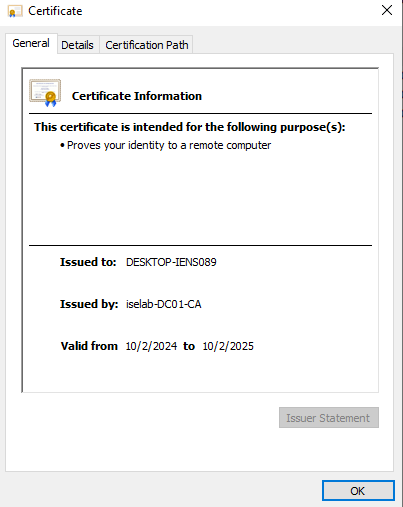
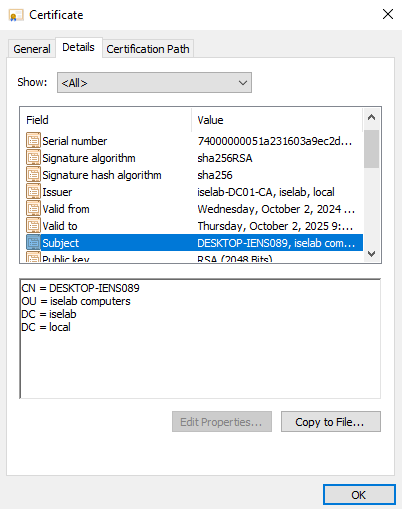
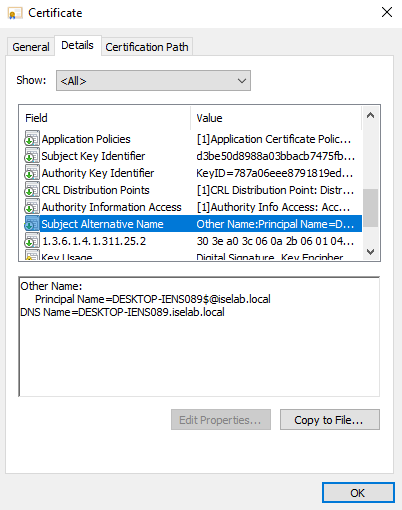
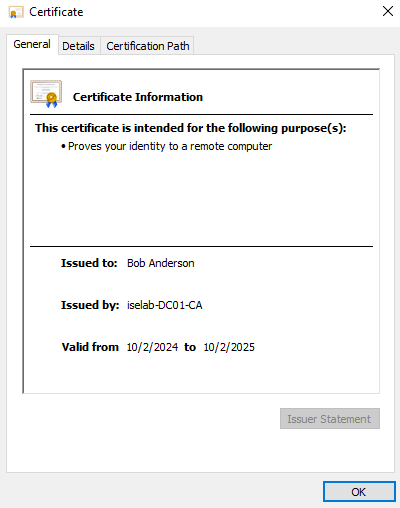
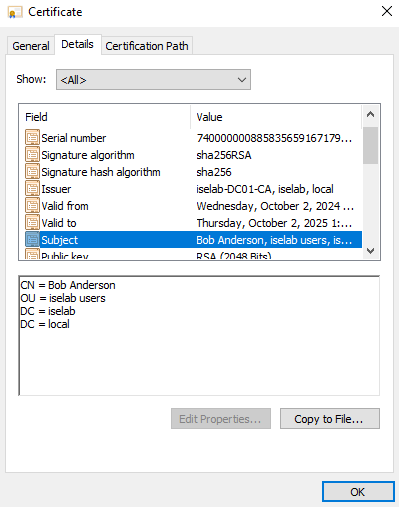
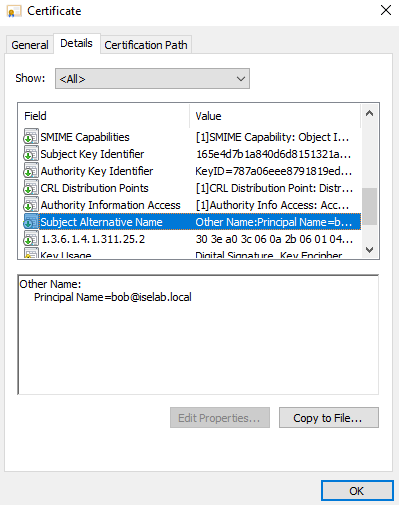
You can also use the cert manager on the client to verify the certificates. Below is the computer certificate:
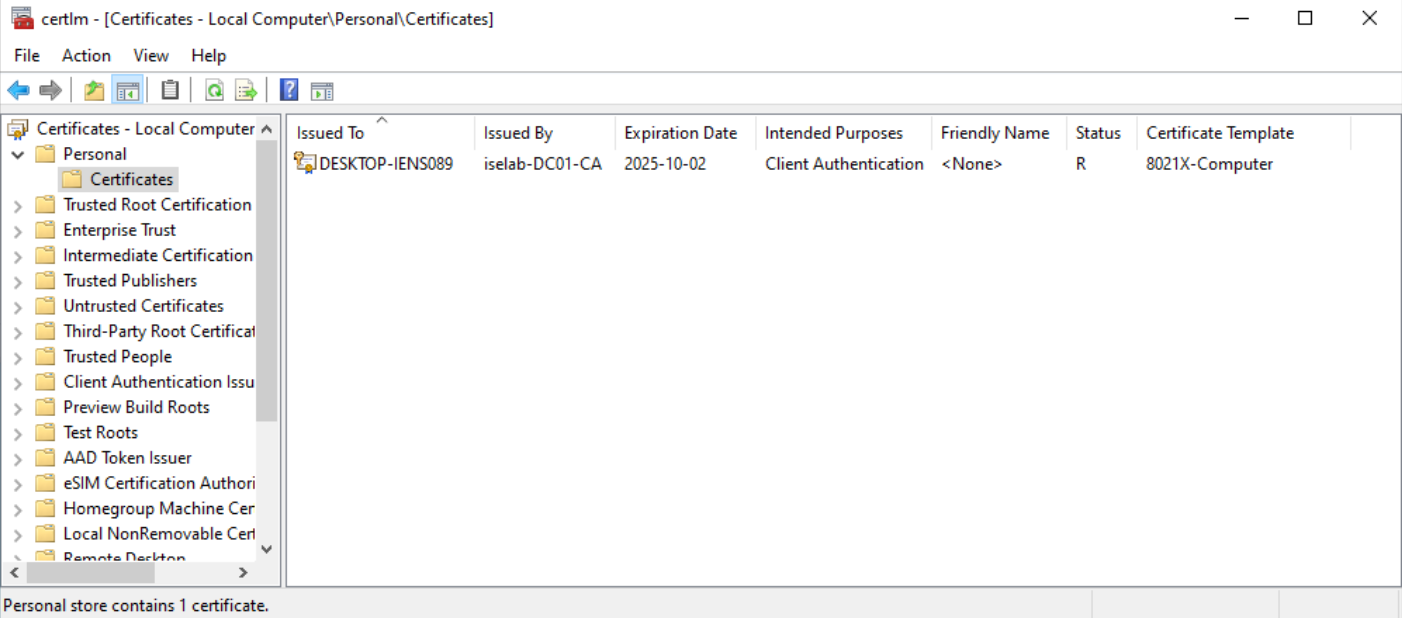
The trusted root CA for computer certificates:
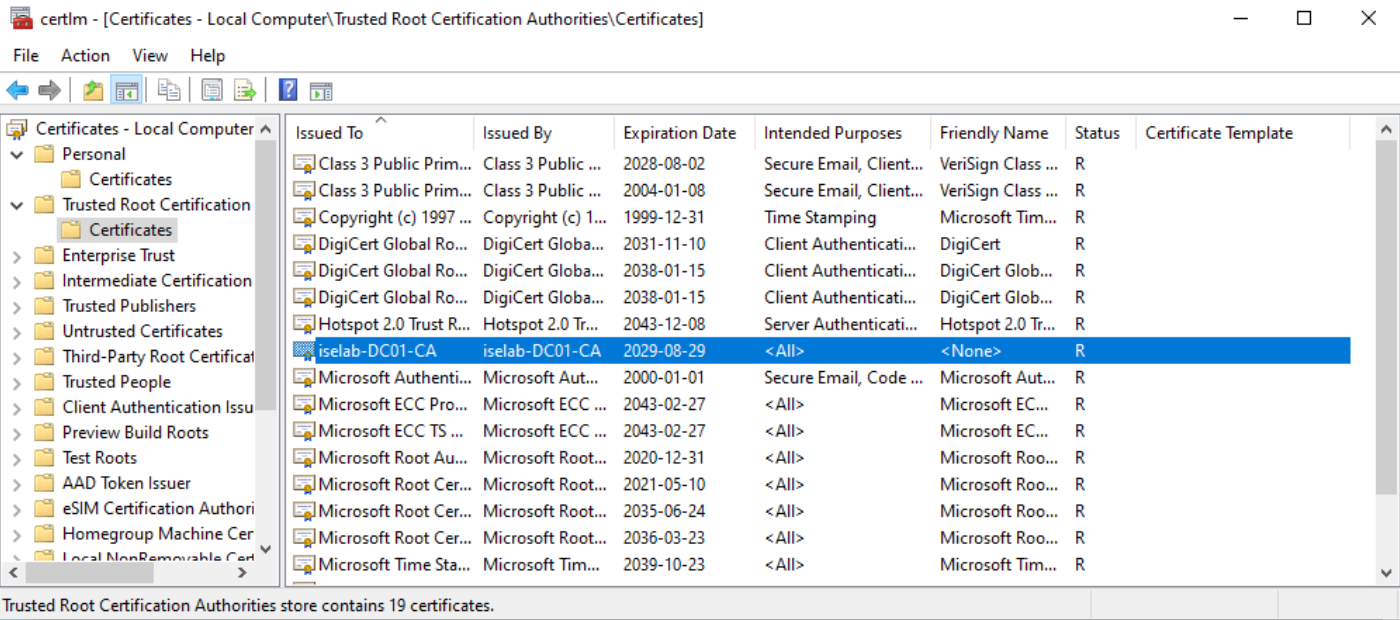
The user certificate:
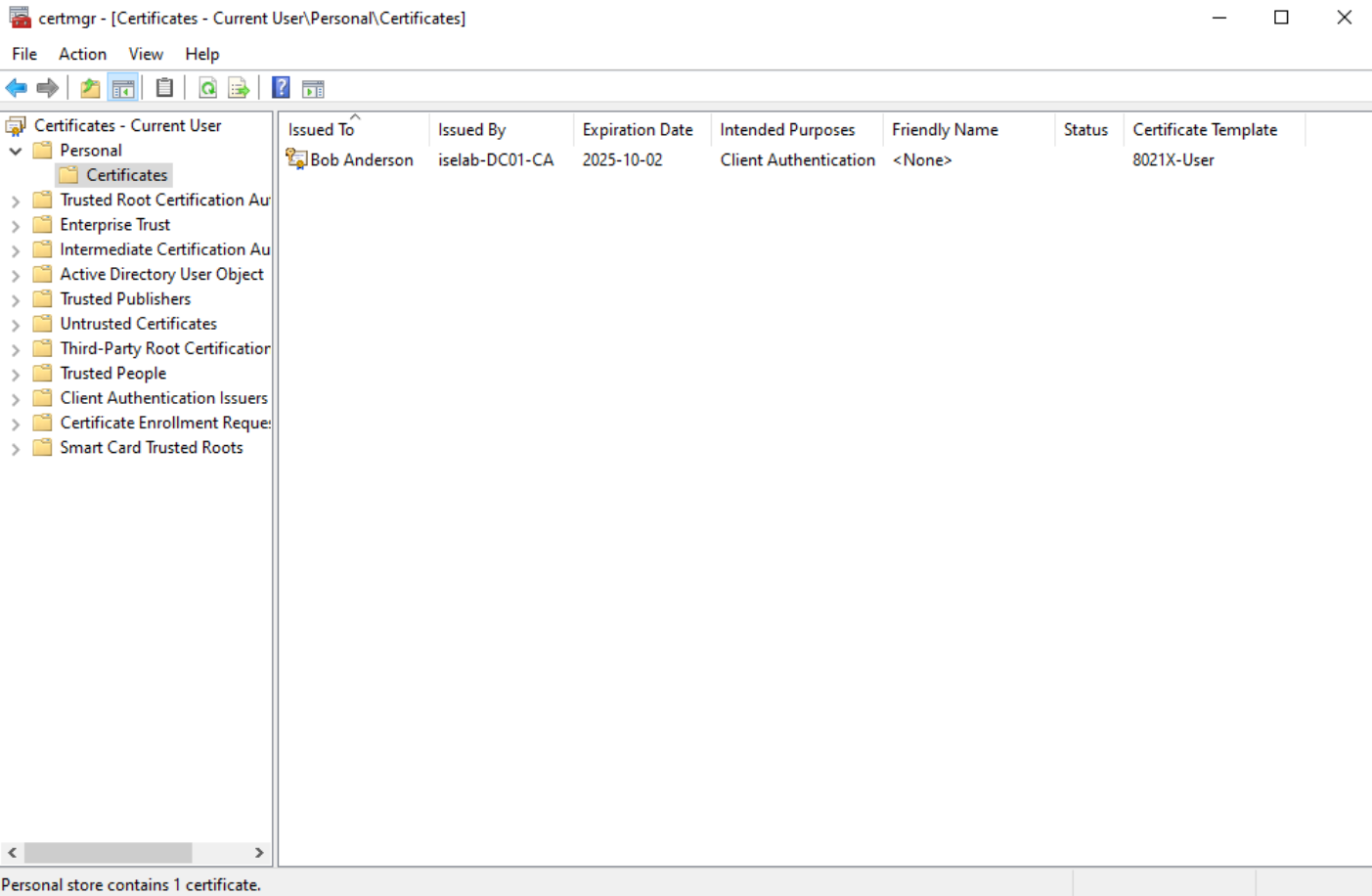
Trusted root CA for user certs:
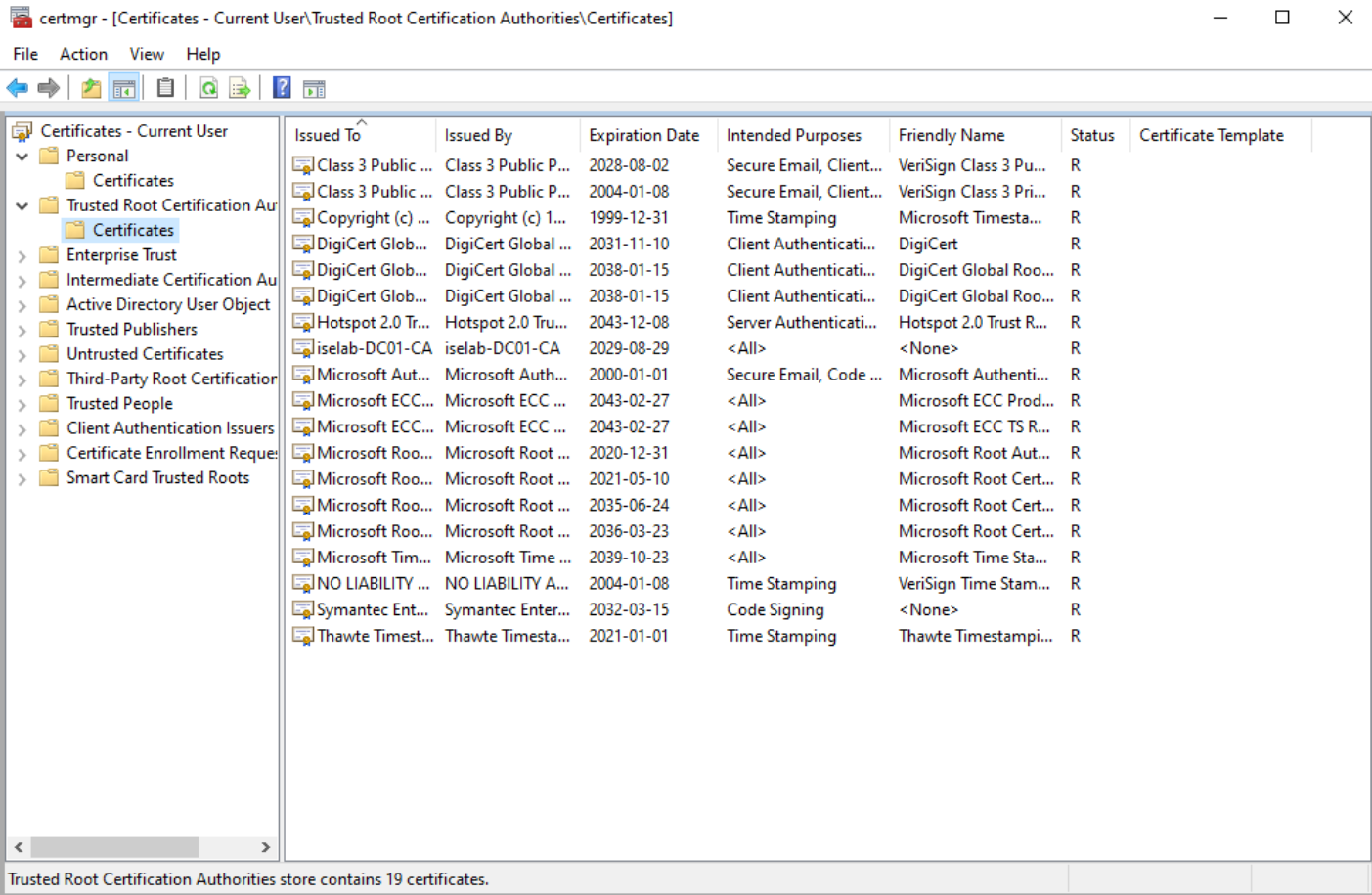
Before I got my setup working, I had to do Continue reading
Modifying Default User and Computer Organizational Unit In Active Directory
By default, users and computers will be placed in containers in AD. These containers don’t support the use of GPOs, which is one of the reasons to create OUs to hold the objects instead. To verify what the default user and computer container is, we’ll leverage Powershell. First, we’ll check the computers container:
PS C:\Users\Administrator> Get-ADDomain | select computerscont*
ComputersContainer
------------------
CN=Computers,DC=iselab,DC=local
Then, we’ll check the users container:
PS C:\Users\Administrator> Get-ADDomain | select userscont*

UsersContainer
--------------
CN=Users,DC=iselab,DC=local
Now, in my lab I have created iselab users and iselab computers where I want the user- and computer objects to be placed:
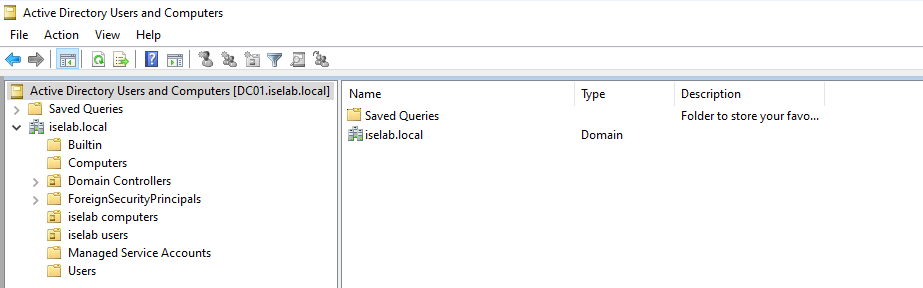
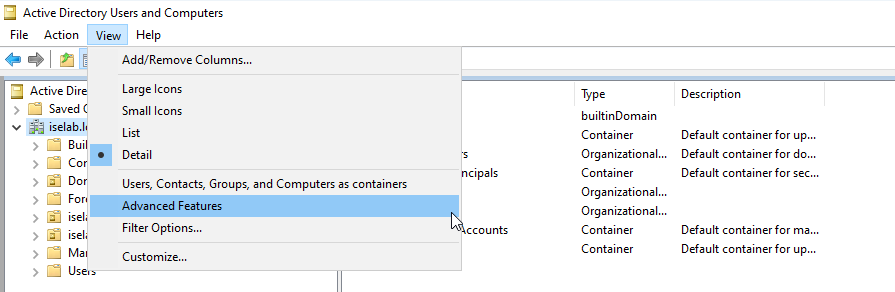
We’re going to user some Powershell to modify where the user- and computer objects get placed, but first we’ll get the Distinguished Name (DN) of these OUs. To do this, we’ll first have to enable Advanced Features under View:
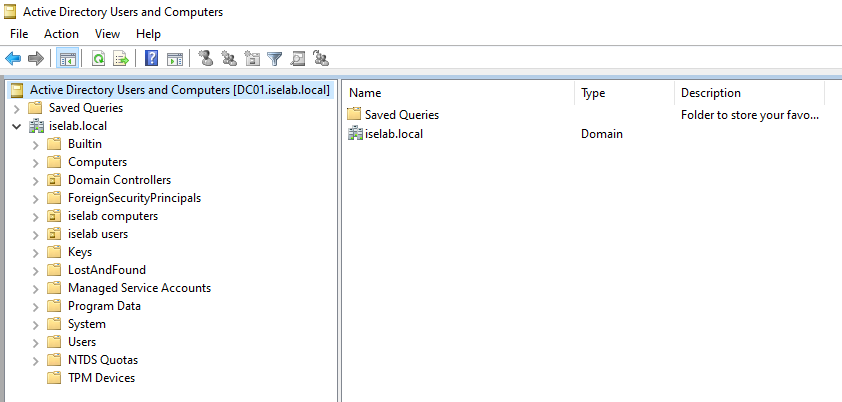
This will display some additional containers:
Now right click the OU, such as iselab computers, and select Properties:
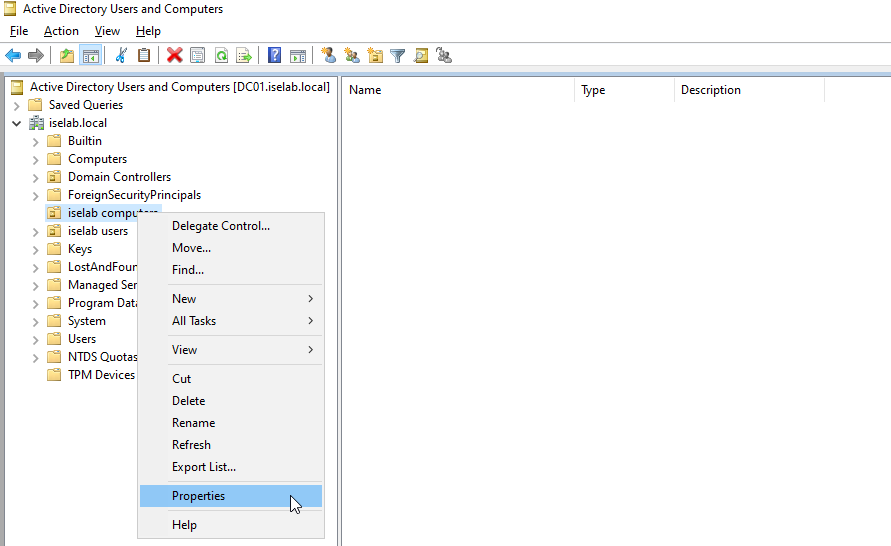
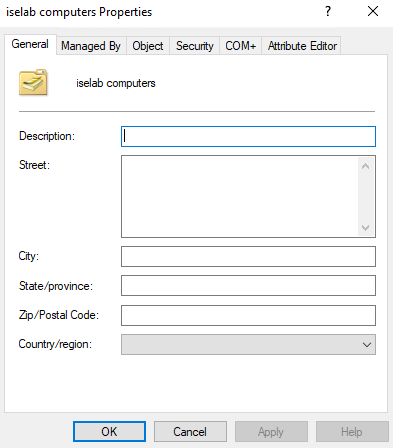
This will display the following window:
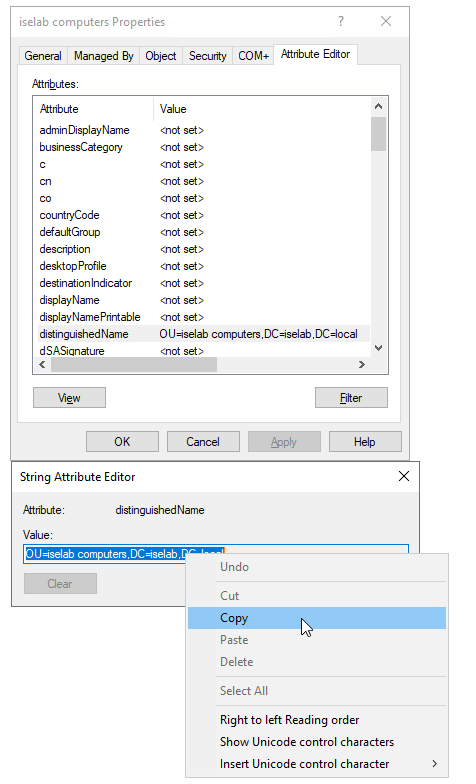
Now go to Attribute Editor tab, double click distinguishedName and right click and select Copy:
Then, we’ll user Powershell to redirect to this OU:
PS C:\Users\Administrator> redircmp "OU=iselab computers,DC=iselab,DC=local"
Redirection was successful.
Let’s verify what Continue reading