MikroTik – RouterOSv7 first look – MLAG on CRS 3xx switches
What is MLAG?
Multi-Chassis Link Aggregation Group or MLAG is an idea that’s been around for a while.
It allows for the ability to form LACP channels across multiple physical switches.
Wikipedia shows a few different topology examples here
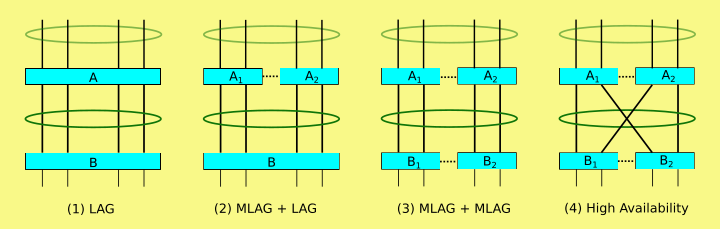
Vendor implementations are proprietary but the idea of MLAG was first mentioned in 802.1AX-2008 in 2008.
It first started to become popular in data center networking in the late 2000s
What makes the addition of MLAG to MikroTik’s RouterOS feature set notable is that it lowers the barrier to entry for this particular feature.
CRS 3xx switches are very inexpensive (starting at $149 USD) and may very well be the lowest cost MLAG capable hardware available on the market.

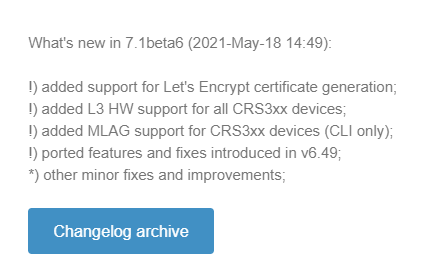
Introduced in 7.1beta6
MLAG has been asked for by the MikroTik community a number of times and the most active feature request thread started here in 2020:
new feature request MLAG!!! – MikroTik
MikroTik added several version 7 beta releases in 2021 and included MLAG for all CRS 3xx series switches in 7.1beta6 on May 18th, 2021.
Overview of protocol requirements
MLAG is fairly consistent across vendors with the need Continue reading