So many of Google’s technology developments have had major impacts in the commercial world but the company’s impact on scientific computing has been far less pronounced. …
Implementing a zero-trust network architecture enables enterprises to box in a ransomware attack, limiting the extent to which a fraudster can commandeer data and resources.
Digital investments, be they in AI, cloud, security, or engineering, will be among the top technology drivers for 2022, according to Gartner’s annual forecast of what it expects will be leading strategic IT trends.Gartner: IT skills shortage hobbles cloud, edge, automation growth
“It is an overarching drive for organizations to do more with and scale the digital environments they have been rapidly developing during the pandemic,” said David Groombridge, research vice president at Gartner. “Most of these trends define technologies that together show how businesses will reconnect with partners and consumers to create scalable, resilient technical foundations for the future.” Gartner unwrapped its forecast at its virtual IT Symposium/Xpo Americas this week.To read this article in full, please click here
Digital investments, be they in AI, cloud, security, or engineering, will be among the top technology drivers for 2022, according to Gartner’s annual forecast of what it expects will be leading strategic IT trends.Gartner: IT skills shortage hobbles cloud, edge, automation growth
“It is an overarching drive for organizations to do more with and scale the digital environments they have been rapidly developing during the pandemic,” said David Groombridge, research vice president at Gartner. “Most of these trends define technologies that together show how businesses will reconnect with partners and consumers to create scalable, resilient technical foundations for the future.” Gartner unwrapped its forecast at its virtual IT Symposium/Xpo Americas this week.To read this article in full, please click here
In the midst of the hottest summer on record, Cloudflare held its first ever Impact Week. We announced a variety of products and initiatives that aim to make the Internet and our planet a better place, with a focus on environmental, social, and governance projects. Today, we’re excited to share an update on Crawler Hints, an initiative announced during Impact Week. Crawler Hints is a service that improves the operating efficiency of the approximately 45% of Internet traffic that comes from web crawlers and bots.
Crawler Hints achieves this efficiency improvement by ensuring that crawlers get information about what they’ve crawled previously and if it makes sense to crawl a website again.
Today we are excited to announce two updates for Crawler Hints:
The first: Crawler Hints now supports IndexNow, a new protocol that allows websites to notify search engines whenever content on their website content is created, updated, or deleted. By collaborating with Microsoft and Yandex, Cloudflare can help improve the efficiency of their search engine infrastructure, customer origin servers, and the Internet at large.
The second: Crawler Hints is now generally available to all Cloudflare customers for free. Customers can benefit from these more Continue reading
The vampires of IT Ops lurk in your enterprise, cloaked in the status quo, striking down operational agility at every turn. If you want to successfully run and transform your business, you need to expose those vampires to the sunlight now.
Michael Haugh, VP Of Product Marketing at Gluware, joins Greg Ferro of the Packet Pushers for a discussion of building a network automation system on top of a platform instead of DIY with Python, Ansible, etc. If Gluware might be a fit for your network automation needs, visit here. Thanks! You can subscribe to the […]
Today on the Network Break, we discuss Marvell's choice of the Dent network OS for its Prestera silicon, Microsoft shares details about how its Azure cloud service thwarted a 2.4Tbps DDoS attack, a researcher shares details on snooping data from a copper patch lead, and other tech tidbits.
Today on the Network Break, we discuss Marvell's choice of the Dent network OS for its Prestera silicon, Microsoft shares details about how its Azure cloud service thwarted a 2.4Tbps DDoS attack, a researcher shares details on snooping data from a copper patch lead, and other tech tidbits.
When DevOps was coined around 2009, its purpose was to break down silos between development and IT operations. DevOps has since become a game of tug-of-war between the reliability needs of the operations team and the velocity goals on the developer side. Site reliably engineering became that balancer.
As Benjamin Treynor Sloss, designer of Google’s SRE program, puts it: “SRE is what happens when you ask a software engineer to design and run operations.”
The SRE team has emerged as the answer to how you can build systems at scale, striking that balance between velocity, maintainability and efficiency.
It was only logical that this year’s books on site reliability engineering.
Of course, almost everyone outside of Google will probably not work on anything at this scale, but, because increasingly distributed systems are constantly integrating with others, Continue reading
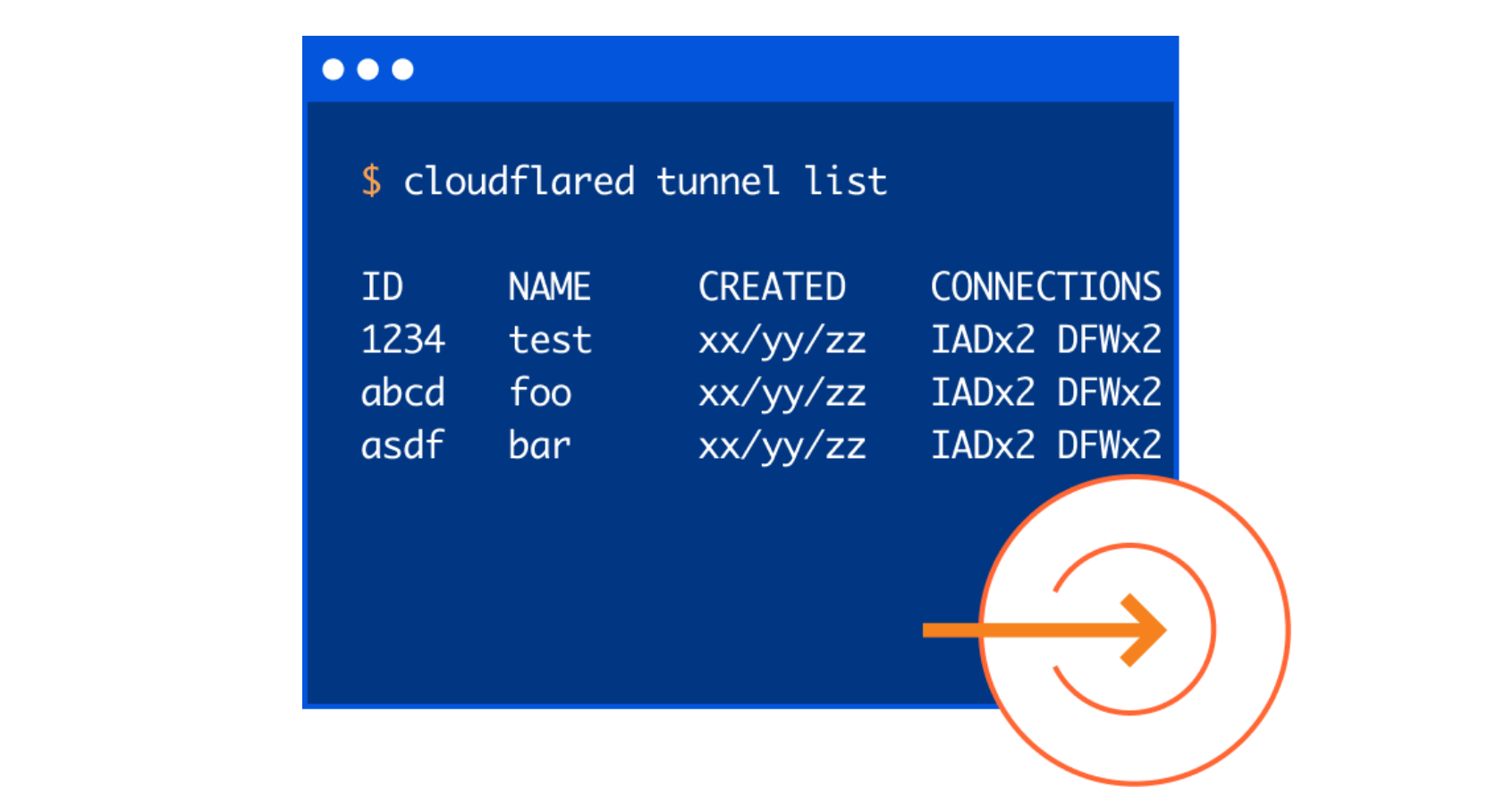
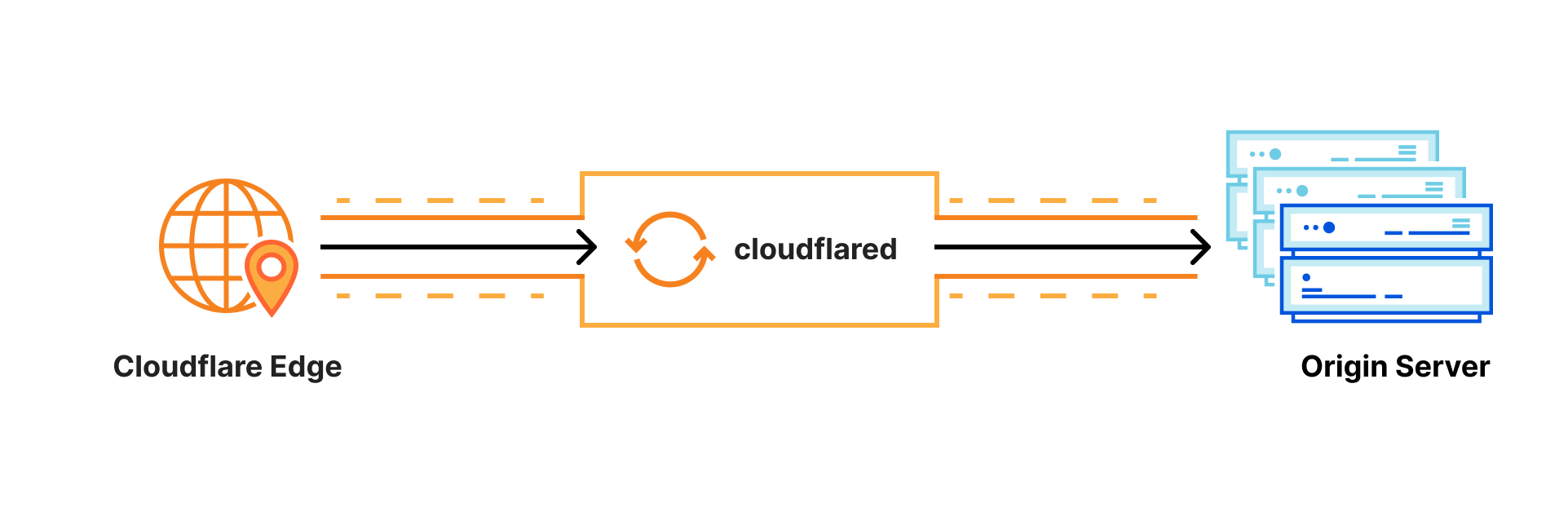
Cloudflare Tunnel connects your infrastructure to Cloudflare. Your team runs a lightweight connector in your environment, cloudflared, and services can reach Cloudflare and your audience through an outbound-only connection without the need for opening up holes in your firewall.
Whether the services are internal apps protected with Zero Trust policies, websites running in Kubernetes clusters in a public cloud environment, or a hobbyist project on a Raspberry Pi — Cloudflare Tunnel provides a stable, secure, and highly performant way to serve traffic.
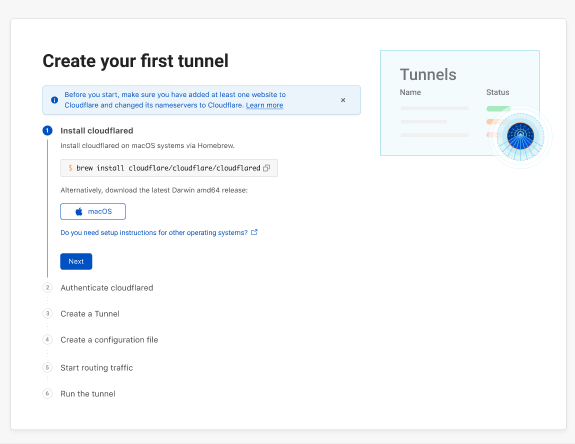
Starting today, with our new UI in the Cloudflare for Teams Dashboard, users who deploy and manage Cloudflare Tunnel at scale now have easier visibility into their tunnels’ status, routes, uptime, connectors, cloudflared version, and much more. On the Teams Dashboard you will also find an interactive guide that walks you through setting up your first tunnel.
Getting Started with Tunnel
We wanted to start by making the tunnel onboarding process more transparent for users. We understand that not all users are intimately familiar with the command line nor are they deploying tunnel in an environment or OS they’re most comfortable with. To alleviate that burden, we designed a comprehensive onboarding guide with pathways for MacOS, Continue reading
Four years after Intel first introduced Loihi, the company’s first neuromorphic chip, the company has released its second generation processor, which Intel says will provide faster processing, greater resource density, and improved power efficiency.CPUs are often called the brains of the computer but aren’t, really, since they process only a handful of tasks at once in a serial manner, nothing like what the brain does automatically to keep you alive. Neuromorphic computing attempts to replicate the functions of the brain by performing numerous tasks simultaneously, with emphasis on perception and decision makingChip shortage will hit hardware buyers for months to years
Neuromorphic chips mimic neurological functions through computational “neurons” that communicate with one another. The first generation of Loihi chips had around 128,000 of those digital neurons; the Loihi 2 has more than a million.To read this article in full, please click here
A new auction for enormously valuable mid-band spectrum and a rollback of availability for a different piece of it illustrates the uneven progress of 5G rollouts in the U.S. and represents a challenge for enterprises looking to take advantage of 5G technology.
5G resources
What is 5G? Fast wireless technology for enterprises and phones
How 5G frequency affects range and speed
Private 5G can solve some problems that Wi-Fi can’t
Private 5G keeps Whirlpool driverless vehicles rolling
5G can make for cost-effective private backhaul
CBRS can bring private 5G to enterprises
The mid-band is valuable because it’s in a “Goldilocks” zone of the wireless spectrum—its frequencies are high enough to support higher throughput, while also being low enough to propagate effectively across relatively large areas.To read this article in full, please click here
A new auction for enormously valuable mid-band spectrum and a rollback of availability for a different piece of it illustrates the uneven progress of 5G rollouts in the U.S. and represents a challenge for enterprises looking to take advantage of 5G technology.
5G resources
What is 5G? Fast wireless technology for enterprises and phones
How 5G frequency affects range and speed
Private 5G can solve some problems that Wi-Fi can’t
Private 5G keeps Whirlpool driverless vehicles rolling
5G can make for cost-effective private backhaul
CBRS can bring private 5G to enterprises
The mid-band is valuable because it’s in a “Goldilocks” zone of the wireless spectrum—its frequencies are high enough to support higher throughput, while also being low enough to propagate effectively across relatively large areas.To read this article in full, please click here
Four years after Intel first introduced Loihi, the company’s first neuromorphic chip, the company has released its second generation processor, which Intel says will provide faster processing, greater resource density, and improved power efficiency.CPUs are often called the brains of the computer but aren’t, really, since they process only a handful of tasks at once in a serial manner, nothing like what the brain does automatically to keep you alive. Neuromorphic computing attempts to replicate the functions of the brain by performing numerous tasks simultaneously, with emphasis on perception and decision makingChip shortage will hit hardware buyers for months to years
Neuromorphic chips mimic neurological functions through computational “neurons” that communicate with one another. The first generation of Loihi chips had around 128,000 of those digital neurons; the Loihi 2 has more than a million.To read this article in full, please click here
Laser-powered 5G base stations could become an operational reality in a few years using technology from Seattle-based PowerLight Technologies.
5G resources
What is 5G? Fast wireless technology for enterprises and phones
How 5G frequency affects range and speed
Private 5G can solve some problems that Wi-Fi can’t
Private 5G keeps Whirlpool driverless vehicles rolling
5G can make for cost-effective private backhaul
CBRS can bring private 5G to enterprises
In trials, PowerLight’s system transmitted “hundreds of watts over hundreds of meters through the air” to power up a 5G cellular base station, according to Ericsson, which ran the demo in cooperation with PowerLight using an Ericsson Streetmacro 6701 base station. (It consumes a maximum of 300W.)To read this article in full, please click here
In mid-October I finally found time to add the icing to the netlab cake: netlab up command takes a lab topology and does everything needed to have a running virtual lab:
Create Vagrantfile or containerlab topology file
Create Ansible inventory
Start the lab with vagrant up or containerlab deploy
Deploy device configurations, from LLDP and interface addressing to routing protocols and Segment Routing
In mid-October I finally found time to add the icing to the netsim-tools cake: netlab up command takes a lab topology and does everything needed to have a running virtual lab:
Create Vagrantfile or containerlab topology file
Create Ansible inventory
Start the lab with vagrant up or containerlab deploy
Deploy device configurations, from LLDP and interface addressing to routing protocols and Segment Routing